Web Development. Websites and web apps engineered for speed and search.
From corporate sites to full web applications, we build fast, accessible, SEO ready front ends on modern frameworks and connect them to the systems behind the scenes.
What's in it. Each part can be built on its own.
Most clients start with one of these where the hours are going, then add the next once it has proved itself.
 01Web ApplicationsFull featured browser based products with real business logic.
 02Progressive Web AppsApp like experiences that install, load fast and work offline.
 03Single Page ApplicationsSnappy, interactive interfaces for data heavy products.
 04Web PortalsSecure client and staff portals with role based access.
 05Corporate WebsitesBrand led marketing sites built to convert and to rank.
 06MarketplacesMulti vendor and multi sided platforms built to scale.
Where to start. Pick by the problem you have.

- If staff run quotes, jobs or approvals through spreadsheets, start withWeb Applications
- If field teams need the system on their phones with patchy signal, start withProgressive Web Apps
- If clients keep calling for job status, invoices or documents, start withWeb Portals
- If your website is slow, dated or not bringing in enquiries, start withCorporate Websites
- If you're connecting vendors and buyers on one platform, start withMarketplaces
Orders arrive filled in. From the website to the job.
An order placed on the website lands in the system as a job with the customer, the load and the address already filled. The API call is scoped to read orders and nothing else.
Where it sits. Every system we build has the same five layers.
Web Development covers the layers lit in red. The rest are there in every build, so each part you add later lands on the same foundation.
- ScreensOffice, field app, customer portal
- AI agentsRead, chase, reconcile, draft
- Workflow & rulesJobs, approvals, pricing, scheduling
- Data & integrationsOne database, plus Xero, Stripe, couriers
- Your cloud accountIn your name, backed up, yours to keep
Layers this covers: Screens, Workflow & rules, Data & integrations.
Five years of renting, against owning. The gap is the point.
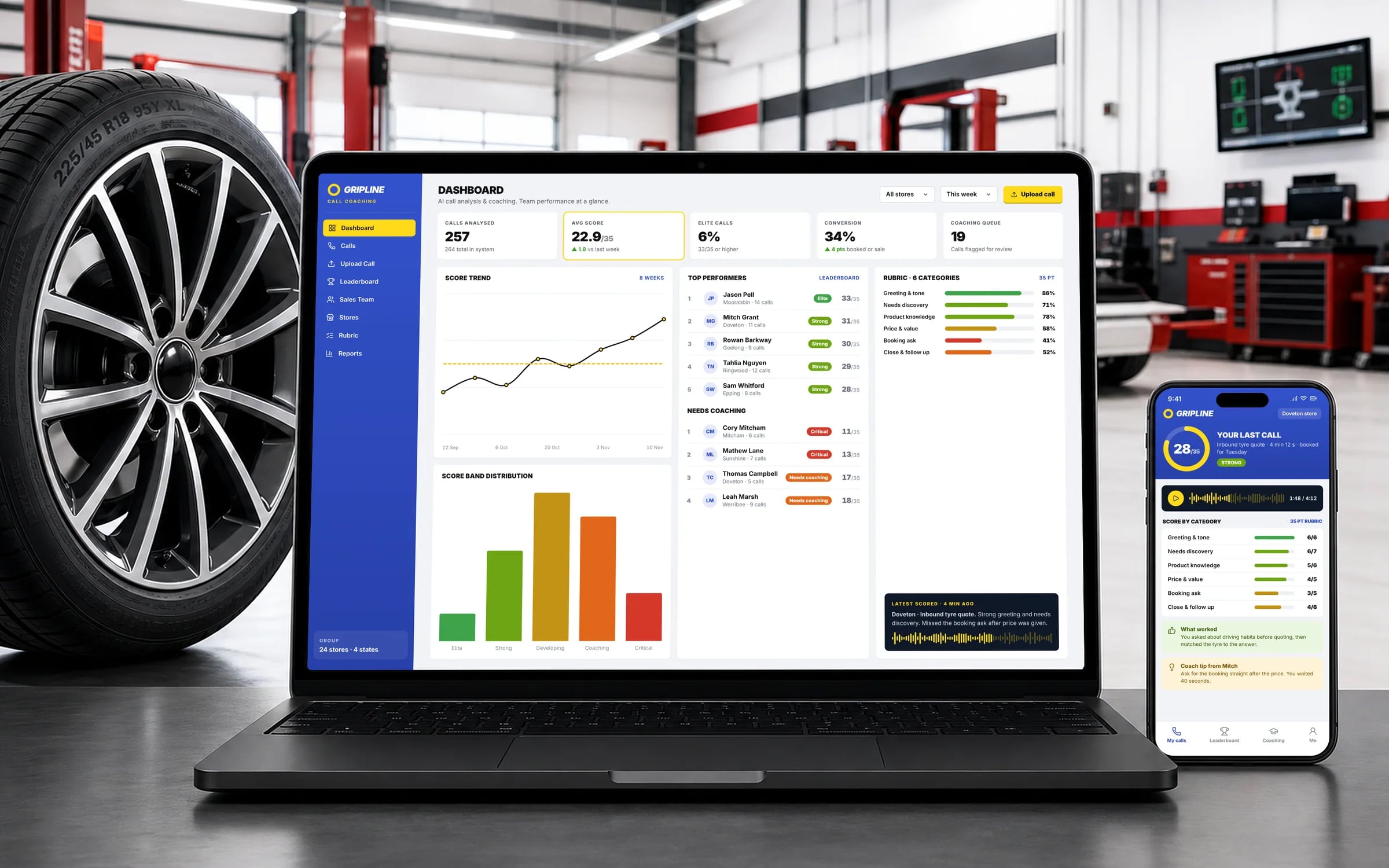
What it can look like. Screens from systems like the ones we build.
Example screens. The business names on them are invented, so no client is shown without permission.
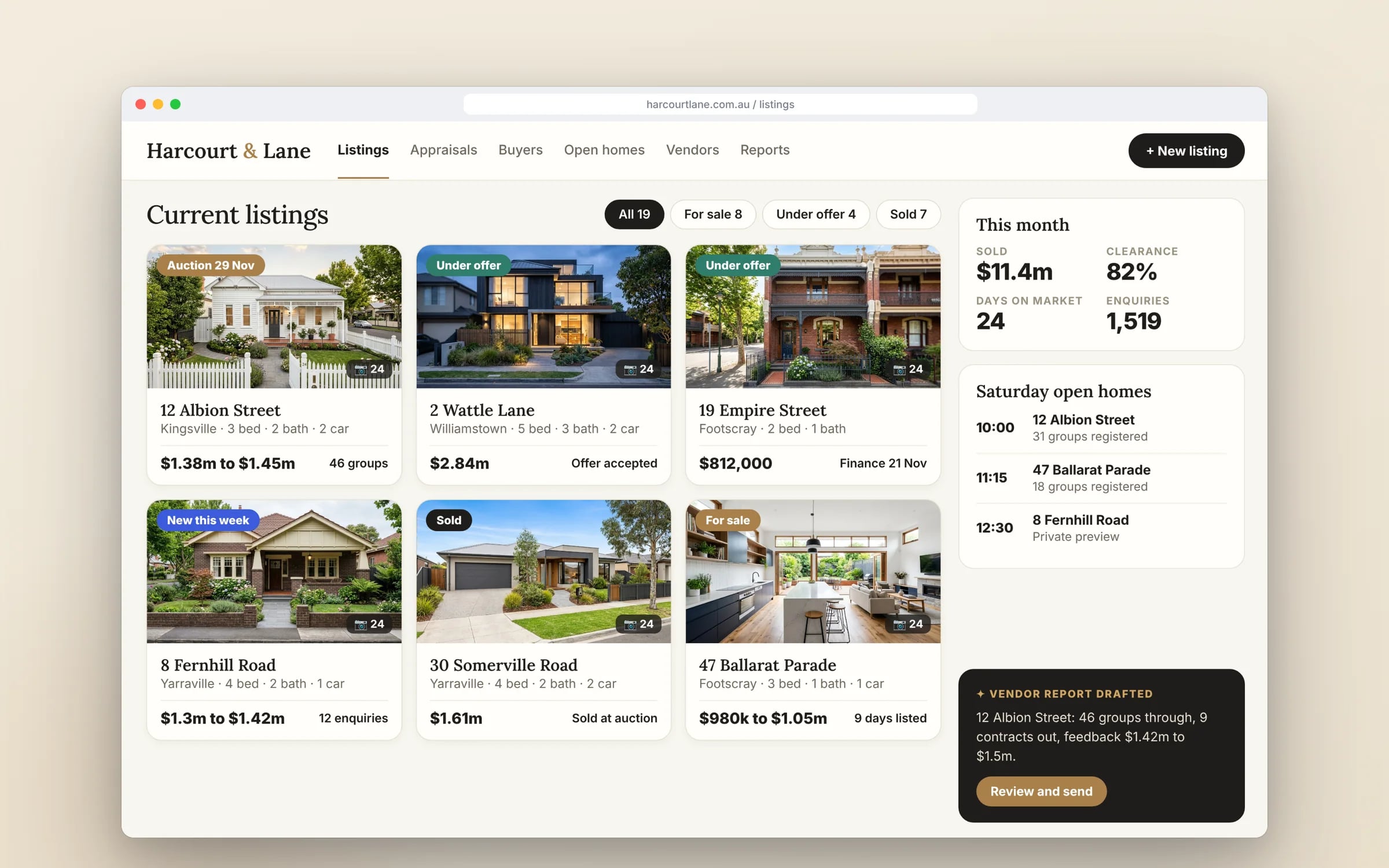
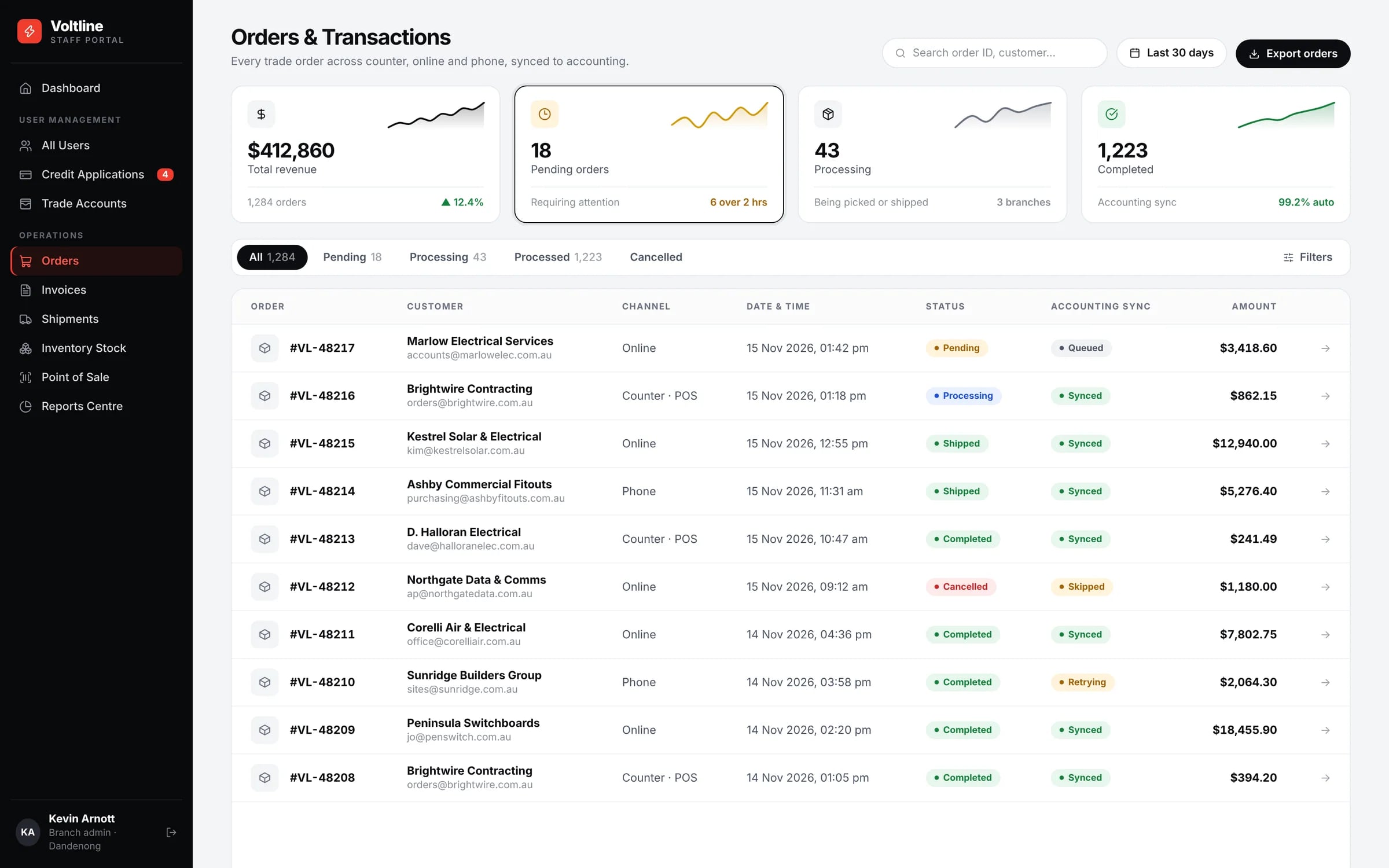
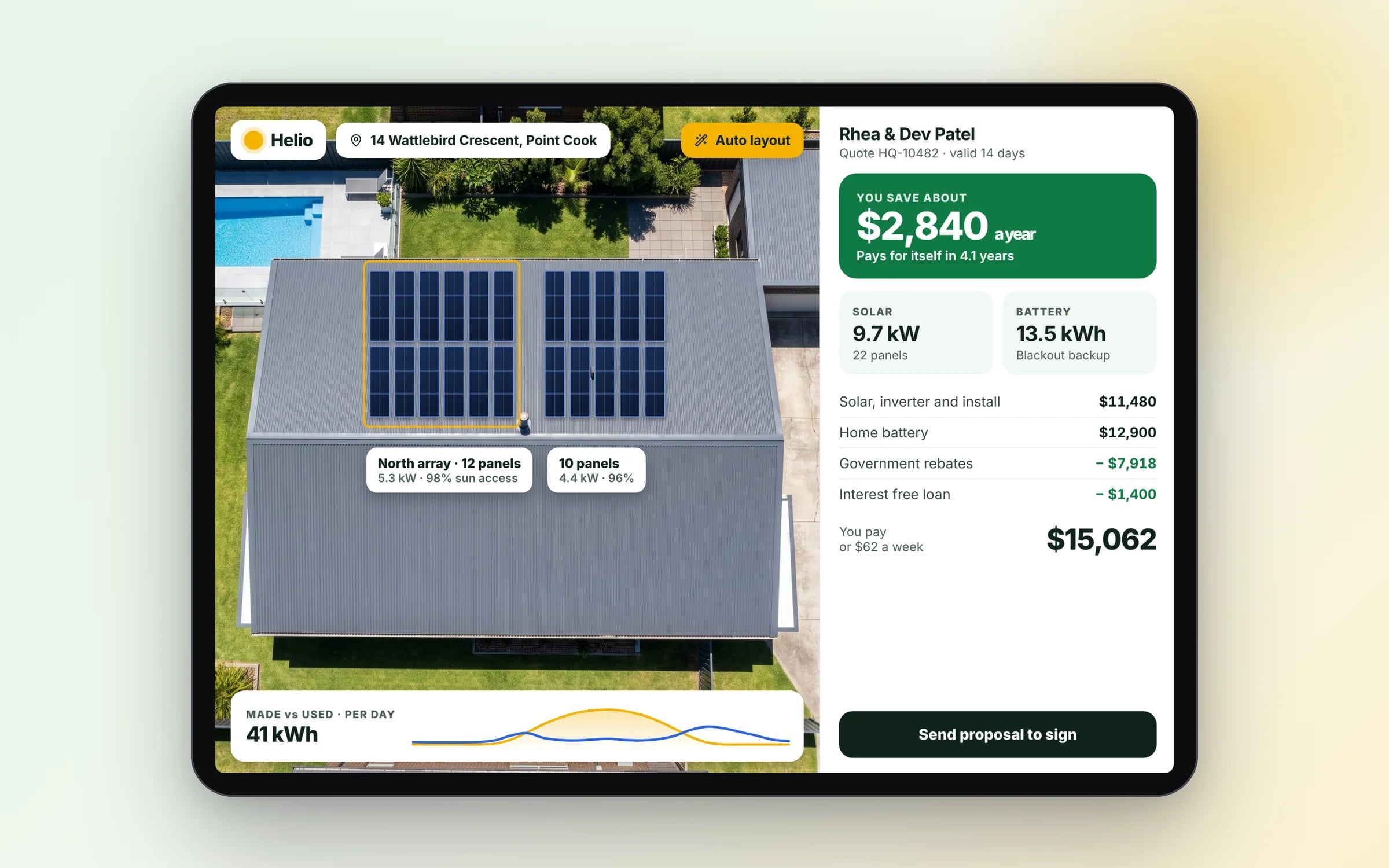
★★★★★
“One of the BEST companies our business has worked with.”
Built by Hypex. Running in real businesses.
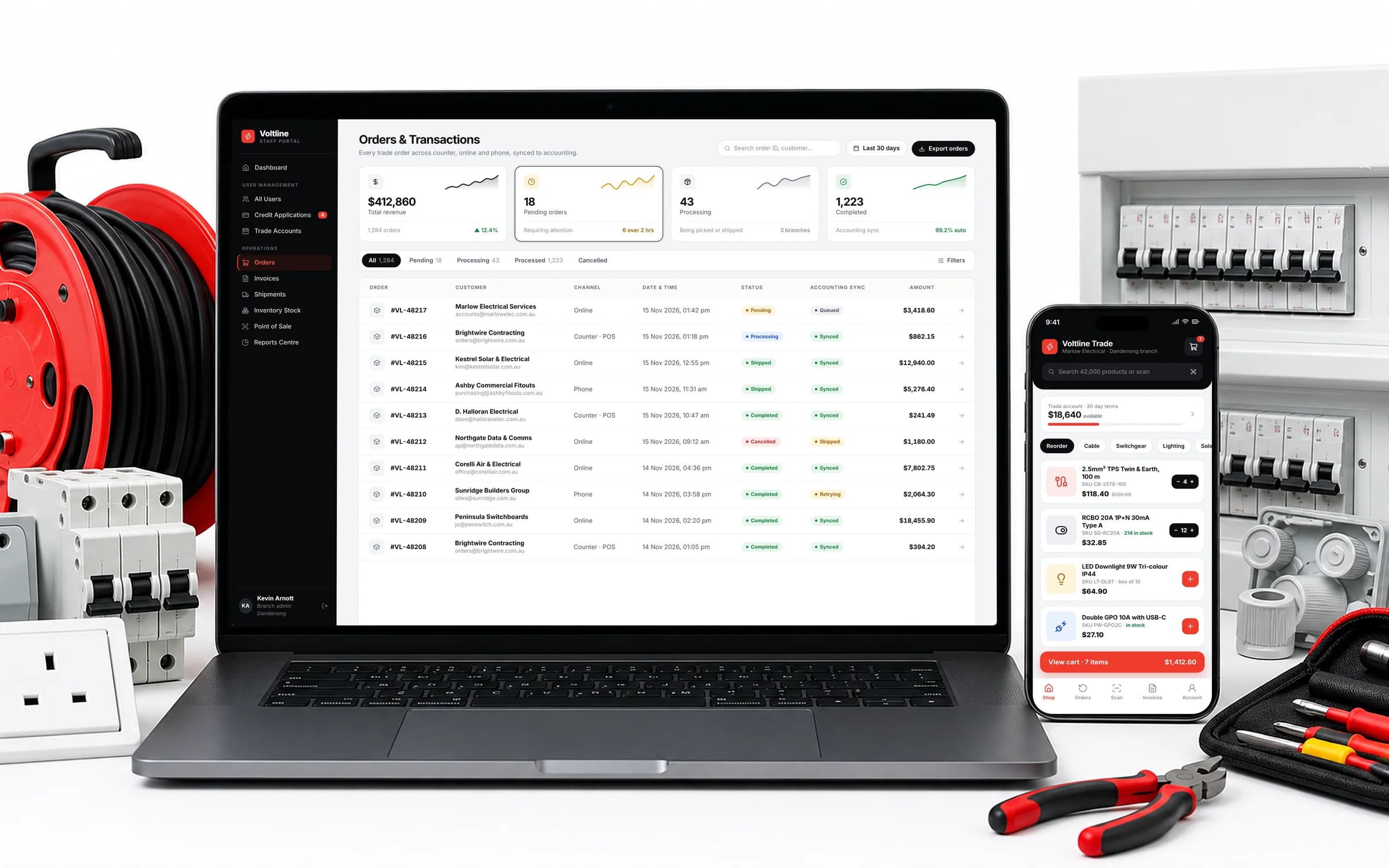
Built for businesses like yours
What does web development from Hypex cover?
Web development from Hypex covers everything built for the browser: web applications that run daily operations, progressive web apps for field teams, fast single page tools, secure client and staff portals, marketing websites and multi-sided marketplaces.
It suits businesses that need a system their staff, clients or vendors log into, or a site that ranks and brings in enquiries. Every build is staged and runs in a cloud account you own.
Reviewed by the Hypex team, Port Melbourne
Web Development: questions owners ask.
How much does a web application cost compared with a website?
A web application usually costs more than a marketing website because it carries business logic, user accounts and data, while a website is mostly content and templates. A website's cost follows the number of page templates, content and CMS setup. A web application's cost follows the workflows, roles, integrations and data migration it needs. Hypex gives a fixed price for each stage in the system map, so a large application is priced and delivered in parts, starting with the one that saves the most hours.
What technology should a website or web app be built on?
Choose technology that matches the job: pages that must rank need server rendering or static generation, interactive tools need a solid front end framework, and the backend should suit your data and the systems it connects to. Popularity matters too, because a widely used stack is easier to hire for and support later. Be wary of a proprietary builder for anything holding business data, since moving off it can mean starting again. You should own the code and the account it runs in.
Can you take over an existing website or web app rather than rebuilding it?
Yes, an existing site or web app can usually be taken over: the current build is audited first, and the parts that already work are often kept while the parts holding it back are rebuilt. The audit covers code quality, hosting, security, speed and search setup. You get a written view of what to keep, fix or replace, with each stage scoped and priced. A full rebuild only makes sense when the foundations cannot support what the business needs next.
Who looks after a website or web app after launch?
After launch, a website or web app needs someone to apply security updates, monitor uptime and errors, keep backups running and make changes as the business evolves. Because you own the code and the cloud account it runs in, that can be your team, Hypex, or another developer, and you can change your mind later. Ask for documentation and deployment instructions at handover, so whoever maintains it can start without reverse-engineering the build.
How does a web app connect to Xero, Stripe and the other systems we use?
A web app connects to systems such as Xero, MYOB, Stripe, Deputy, Google Workspace or Microsoft 365 through their APIs, passing invoices, payments, timesheets, contacts and calendar events automatically. Each connection is mapped field by field, such as which account code an invoice line uses or which job a timesheet belongs to. Errors are logged and retried so nothing silently drops. The aim is that information is entered once and never rekeyed into another system.
How do I choose between a web app, a portal, a PWA and a marketplace?
Choose by who uses it and how: a web app suits staff running workflows, a portal suits clients or contractors who need to see their own information, a PWA suits people working on phones with patchy signal, and a marketplace suits two separate groups trading with each other. Many systems combine them, such as a web app for staff with a client portal attached and offline support for technicians. The system map sets out which parts you need and in what order.
Will a new web app work on every browser and device?
A new web app should work on current versions of Chrome, Safari, Edge and Firefox, on phones, tablets and desktops, with layouts that adjust to each screen. The device list should be agreed at the start, especially if staff use older tablets, rugged devices or iPhones, because some features behave differently in Safari. Testing should happen on real devices in the conditions staff work in, including slow mobile connections, before anything is released.
Show us how you run it today.
Thirty minutes with the people who would build it. We'll map where the hours go and tell you honestly whether custom software is worth it for you.