Every worker, placement and timesheet in one place. From the job order to the invoice, without the re-keying.
For labour hire and recruitment agencies placing 50 to 500 workers a week.
Job orders arrive by phone and email, candidates live in an ATS, shifts are confirmed by text, timesheets come back as photos, and someone builds payroll and client invoices from all of it. We build the one system that takes a job order through to a paid invoice, with your margin visible on every placement.


A day in your business, rebuilt. Watch it run.
The same day you have now, with the system doing the chasing. Pick any moment to stop on it.
Job orders · now
A client's job order for six labourers tomorrow lands in the system from their portal.
Illustrative. Based on how businesses like yours usually run.
Where the hours go. What we hear from almost every business like yours.
- 01Filling a shift is a phone marathonA client calls at 4 pm for six workers at 6 am. Someone works down a list by phone and text, and nobody else can see who has said yes.
- 02Timesheets don't match the jobHours come back on paper or as photos, get keyed twice for payroll and billing, and disputes land weeks later.
- 03Compliance lives in foldersWhite cards, forklift tickets, police checks and right-to-work documents expire quietly until a client asks.
- 04You can't see margin by clientPay rates, charge rates, penalties and allowances sit in different places, so you find out what a contract earns at month end.

What you're probably running now. And what replaces it.
Today7 separate tools
- An ATS or CRM for candidates
- Spreadsheets for job orders
- Group texts to confirm shifts
- Paper or photo timesheets
- A separate payroll system
- Xero or MYOB for invoicing
- Folders of tickets and licences
With your own system
One login. One record of every job, customer and dollar.
- Job orders
- Worker pool
- Shift offers
- Compliance
- Worker app
- Pay & bill
★★★★★
“One of the BEST companies our business has worked with.”
What we'd build for you. Pick the parts that hurt most first.
Nobody needs every module on day one. We usually start with the one costing you the most hours, ship it in weeks, and add the rest as it proves itself.
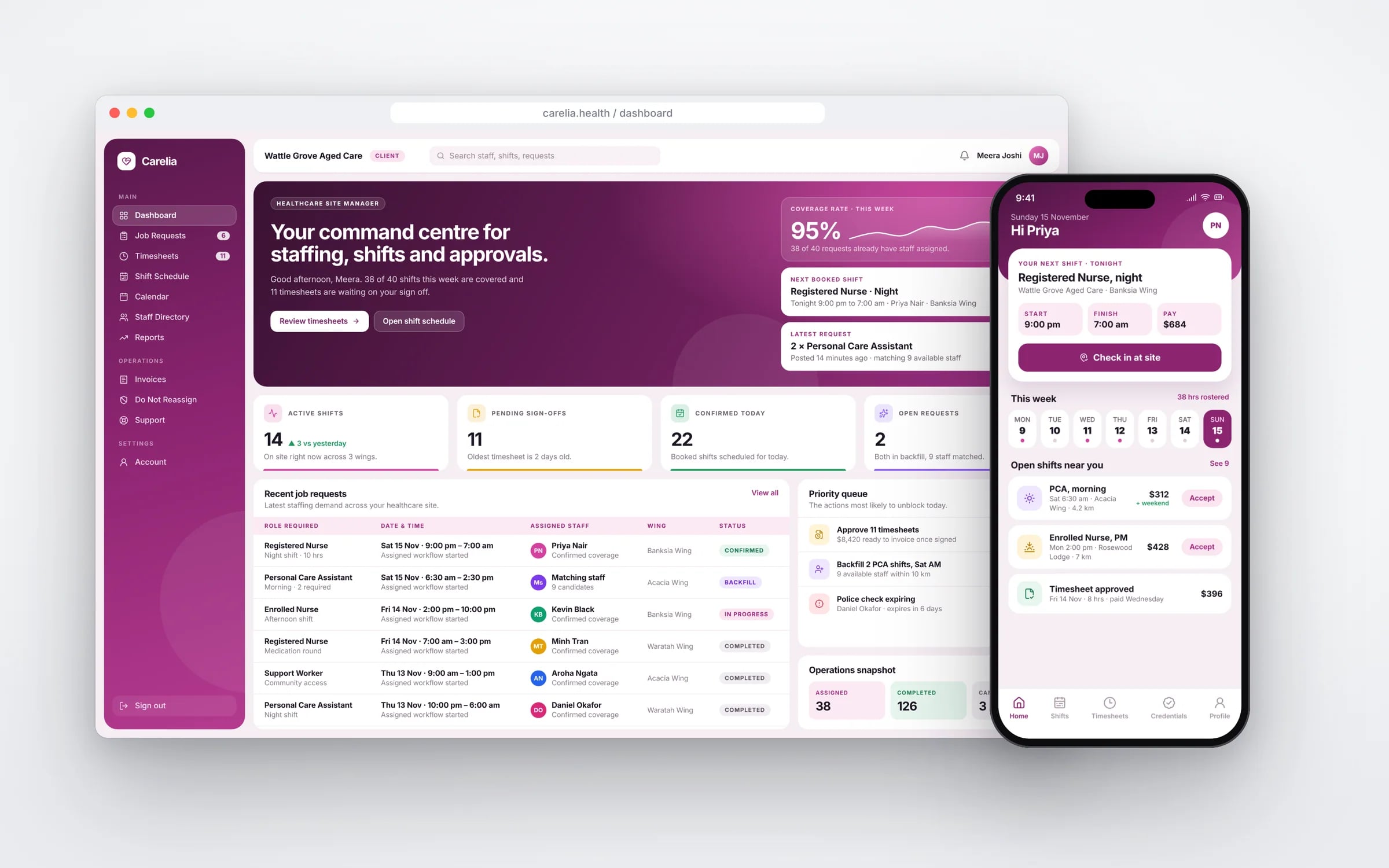
Job orders
Client requests from portal, email or phone, with rates, site and requirements.
Worker pool
Availability, skills, tickets and preferences for every worker.
Shift offers
Matched offers by SMS or app, with confirmations visible to the whole desk.
Compliance
Tickets, checks and right-to-work tracked with expiry reminders.
Worker app
Shift details, site inductions, clock on and off, and timesheets.
Pay & bill
Approved hours to payroll and client invoices, with margin by placement.
Rosters that fill themselves. A manager still signs each one off.
When a shift opens, the roster agent asks the right people in order, checks hours and tickets, and proposes cover. A manager publishes it, and the rostering system and the staff member are updated.
Five years of renting, against owning. The gap is what you keep.
The rules you work under. Built into the system, so the record keeps itself.
- Labour hire licensing schemes in Victoria, Queensland, South Australia and the ACT
- The system stores your licence details per jurisdiction, flags placements in scheme states and keeps the placement records those schemes may request.
- Fair Work modern awards, record keeping and pay slip requirements
- Hours, pay rates, penalties and allowances are recorded per worker per shift, and pay slips are produced from the same records.
- Regulated labour hire arrangement orders under the Fair Work Act 2009
- The system records which hosts and sites have an order and applies the protected rate when timesheets are processed.
- Single Touch Payroll
- Approved pay data goes to your STP-enabled payroll system so each pay run is reported from the same hours that were billed.
- Privacy Act 1988 and the Australian Privacy Principles, where they apply to your agency
- Candidate and worker documents, including identity and check results, are held with access by role and every view is logged.
The numbers you’d see live
- Job orders filled, and time to fill each one
- Shifts with a no-show and how fast they were replaced
- Timesheets awaiting client approval
- Margin by client, site and placement
- Worker tickets and checks expiring this month
- Approved hours not yet invoiced
How it all connects. One core, and the tools you keep.
Your accounts, payroll and the other tools that work stay where they are. The system sits in the middle, so nobody types anything twice. Hover or tap a tool to see what moves across.
Parts of your system
- Job orders
- Worker pool
- Shift offers
- Compliance
- Worker app
- Pay & bill
Running
Your system
Labour hire & recruitment
- Logins
- One
- Record of each job
- One
- Owner
- You
Your system → Xero
Agents do the reading and typing. People keep the decisions.
The agents run inside your own system, on your data and your rules. They read, match and draft. Wherever money, safety or a customer is involved, a person signs off, and every action is logged.
Filling job orders
TodayConsultants ring and text down a list until enough workers say yes.
With an agentMatches workers by tickets, distance and availability, sends offers and tracks replies on one board.
Where you come inConsultants approve anyone new to that client.
Timesheet checking
TodaySomeone compares photos of timesheets with rosters line by line.
With an agentReads submitted timesheets, checks them against clock-on data and the job order, and flags differences.
Where you come inDisputed hours go to a person before pay or invoice.
Compliance chasing
TodayExpired tickets are found when a client asks.
With an agentWatches every expiry date and asks workers for renewals with an upload link.
Where you come inNobody is placed while a required document is missing.
What software does a labour hire and recruitment business need?
A labour hire or recruitment agency needs job orders from clients, a worker pool with availability, skills and tickets, shift offers by SMS or app, digital timesheets with clock on at site, award-based pay rules, client billing at charge rates and compliance tracking for every worker.
Most agencies run these across an ATS, texts, paper timesheets and separate payroll. One system takes a job order through to payroll and an invoice from the same approved hours.
Reviewed by the Hypex team, Port Melbourne
Labour hire & recruitment: questions owners ask.
Which software do labour hire agencies use for timesheets and payroll?
Labour hire agencies commonly combine an ATS or CRM such as JobAdder or Bullhorn for candidates, a rostering and timesheet tool such as Deputy, and payroll through Employment Hero, Xero or MYOB. Each does its own part well. The gap for labour hire is that the same approved hours have to produce both an award-compliant pay run and a client invoice at the charge rate, often with site-specific allowances. When that join is done by re-keying or spreadsheets, errors and disputes follow. A custom system holds the job order, timesheet, pay rules and charge rates together and sends results to the payroll and accounting tools you keep.
How do I manage labour hire licensing compliance across Victoria, Queensland, South Australia and the ACT?
You manage labour hire licensing by recording your licence details for each jurisdiction you operate in and checking every placement against them before it is confirmed. Victoria, Queensland, South Australia and the ACT each run their own labour hire licensing scheme, with their own reporting and record requirements. The system stores your licence numbers, conditions and renewal dates per jurisdiction, flags placements in a scheme state, and keeps the placement, pay and worker records those schemes may ask about. It can also hold the licence details of any labour hire providers you subcontract to. Your compliance lead confirms what each scheme requires.
How do digital timesheets work for labour hire workers on client sites?
Digital timesheets work by having workers clock on and off in an app at the site, with location and time recorded, then sending the hours to the client supervisor to approve. Breaks, allowances and any site-specific details are captured on the same timesheet. The client approves in their portal or by a link, and disputed entries are flagged before pay day instead of weeks later. Approved hours then run through the pay rules for payroll and through the charge rates for the client invoice, so both come from one record and nobody keys hours twice.
How do I calculate margin on each labour hire placement?
You calculate placement margin by subtracting the full cost of the worker, including pay, penalties, allowances, superannuation, payroll tax and workers compensation, from the amount charged to the client for the same hours. The system holds the pay rate, award rules, on-cost percentages you set and the client's charge rate for each placement, and calculates margin as soon as a timesheet is approved. You see margin by worker, client, site and contract weekly, which shows where penalty-heavy shifts or allowances are eating into a rate you agreed months ago.
How do I track white cards, tickets and visa work rights for casual workers?
You track tickets and work rights by storing every document against the worker with its number and expiry date, and checking them before a shift offer goes out. White cards, high risk work licences, forklift tickets, police checks and site inductions each carry the date they lapse, and workers get reminders to renew before they do. For visa holders, the system records the date and result of each work rights check, such as through the Department of Home Affairs VEVO service, and any work condition. Workers missing a required ticket are left out of matching automatically.
Can labour hire software handle same job same pay orders from the Fair Work Commission?
Yes, labour hire software can handle same job same pay orders by applying the host's pay rates to the workers and sites an order covers. Under the Fair Work Act, the Fair Work Commission can make regulated labour hire arrangement orders that require labour hire workers to be paid at least what the host would pay its own employees. The system records which clients and sites have an order, holds the protected rate for each classification, and applies it when timesheets are processed. Your margin reports then show the effect on each contract. Your adviser confirms how an order applies to you.
Can you build software for a labour hire business?
Yes. We build systems that take a client's job order through matching, shift offers, worker clock-on and timesheets to payroll and client invoices, with compliance documents tracked against every placement.
Will it handle award penalties and different charge rates?
Yes. Pay rules, penalties, allowances and client charge rates are set up for your contracts, so payroll and invoices come from the same approved hours and margin is visible on each placement.
You own it
The software and its source code belong to your business. No per-seat fees growing with every hire.
What owning meansFunding may help
Parts of some builds may qualify for the R&D Tax Incentive. We'll help you and your adviser work out which.
How the incentive worksKnow your numbers
Add up what your subscriptions, re-keying and workarounds cost you each year before you talk to anyone.
Open the calculatorWeighing up a packaged product?
Other industries we build for
Show us how you run it today.
Thirty minutes with the people who would build it. We'll map where the hours go and tell you honestly whether custom software is worth it for you.