AI Agents & Automation. Agents that do the reading and retyping inside your own systems.
We build AI agents and automations into the systems your business runs on. They read the emails, PDFs and notes that arrive every day, turn them into jobs, orders and quotes, and leave the decisions with your team.
What's in it. Each part can be built on its own.
Most clients start with one of these where the hours are going, then add the next once it has proved itself.
 01Artificial IntelligenceCustom AI products and automation.
 02DevOps ServicesReliable cloud delivery and operations.
 03IoT DevelopmentConnected devices and real-time data.
 04Big Data SolutionsScalable platforms for high-volume data.
 05AWS & CloudCloud architecture and modernization.
 06AI Chatbot DevelopmentGenerative AI assistants for business workflows.
Where to start. Pick by the problem you have.

- If staff retype emails, PDFs or orders into other systems, start with custom AI agentsArtificial Intelligence
- If customers or staff keep asking the same questions, start with an AI chatbotAI Chatbot Development
- If your reports depend on exporting and joining spreadsheets, start with a data platformBig Data Solutions
- If your system runs on an office server or a host you do not control, start with cloudAWS & Cloud
- If someone has to visit sites to check equipment, start with IoTIoT Development
Agents with one job each. Logged, and limited.
Each agent does one job against your real systems: chasing debtors, filling the roster, qualifying enquiries, reordering stock. Every step is logged, and anything over a limit waits for a person.
Where it sits. Every system we build has the same five layers.
AI Agents & Automation covers the layers lit in red. The rest are there in every build, so each part you add later lands on the same foundation.
- ScreensOffice, field app, customer portal
- AI agentsRead, chase, reconcile, draft
- Workflow & rulesJobs, approvals, pricing, scheduling
- Data & integrationsOne database, plus Xero, Stripe, couriers
- Your cloud accountIn your name, backed up, yours to keep
Layers this covers: AI agents, Workflow & rules, Data & integrations.
Where the admin hours go. And what an agent takes off them.
- Re-keying invoices and bills9 h/wk
- Chasing quotes and follow-ups7 h/wk
- Copying job notes between apps6 h/wk
- Building the weekly report4 h/wk
Illustrative: a typical week for an office team of five. An agent drafts or does each of these; a person approves.
Agents do the reading and typing. People keep the decisions.
The agents run inside your own system, on your data and your rules. They read, match and draft. Wherever money, safety or a customer is involved, a person signs off, and every action is logged.
Booking emails into jobs
TodaySomeone in the office retypes each emailed booking into the system.
With an agentReads the email and attachments, creates the job with addresses, pallets and time window, and prices it from your rate card.
Where you come inAnything outside the rate card waits for a tick.
Job notes into quotes
TodayTechs scribble notes and photos; the office turns them into a quote days later.
With an agentTurns the tech's voice note and photos into a priced quote from your price book.
Where you come inThe quote goes out once someone checks it.
Credential checks
TodayCoordinators check registrations and expiry dates by hand.
With an agentChecks every credential against its expiry, flags gaps before a shift is offered, and requests renewals.
Where you come inNo one is placed with a flag unresolved.
Customer service
TodayThe same “where is my order” emails, every day.
With an agentAnswers from live order and courier tracking, and handles simple changes and returns by your policy.
Where you come inRefunds over your limit wait for a person.
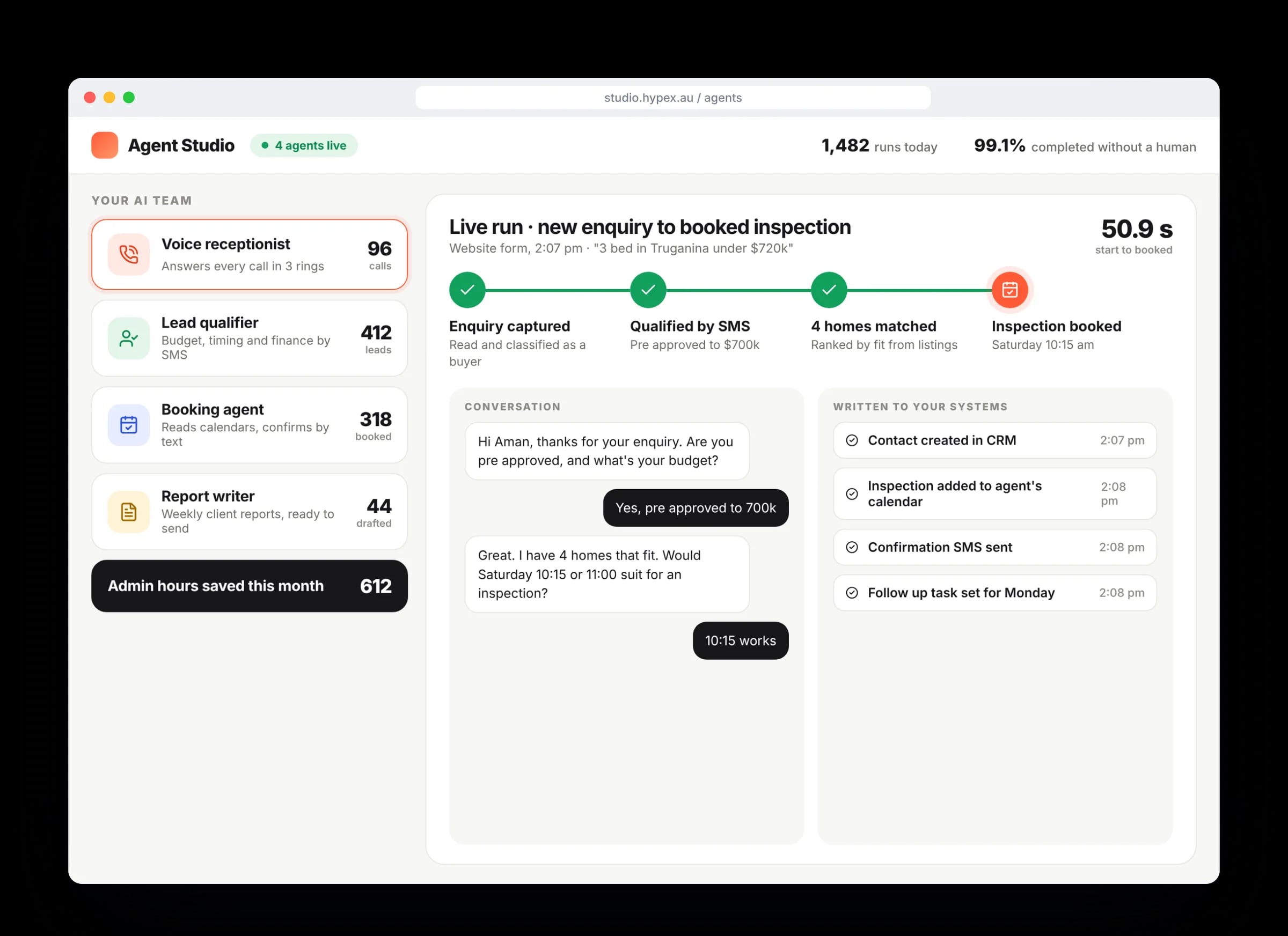
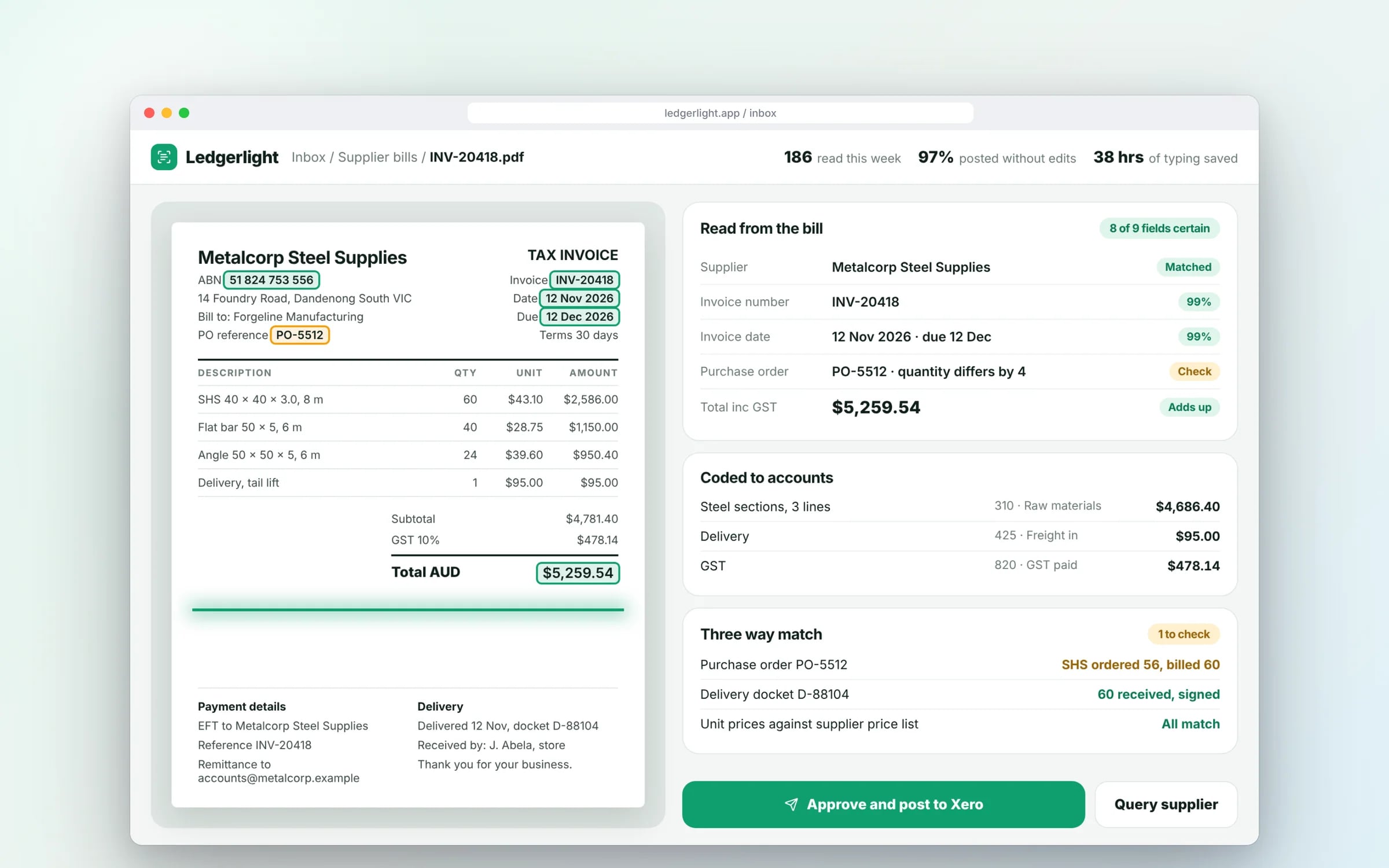
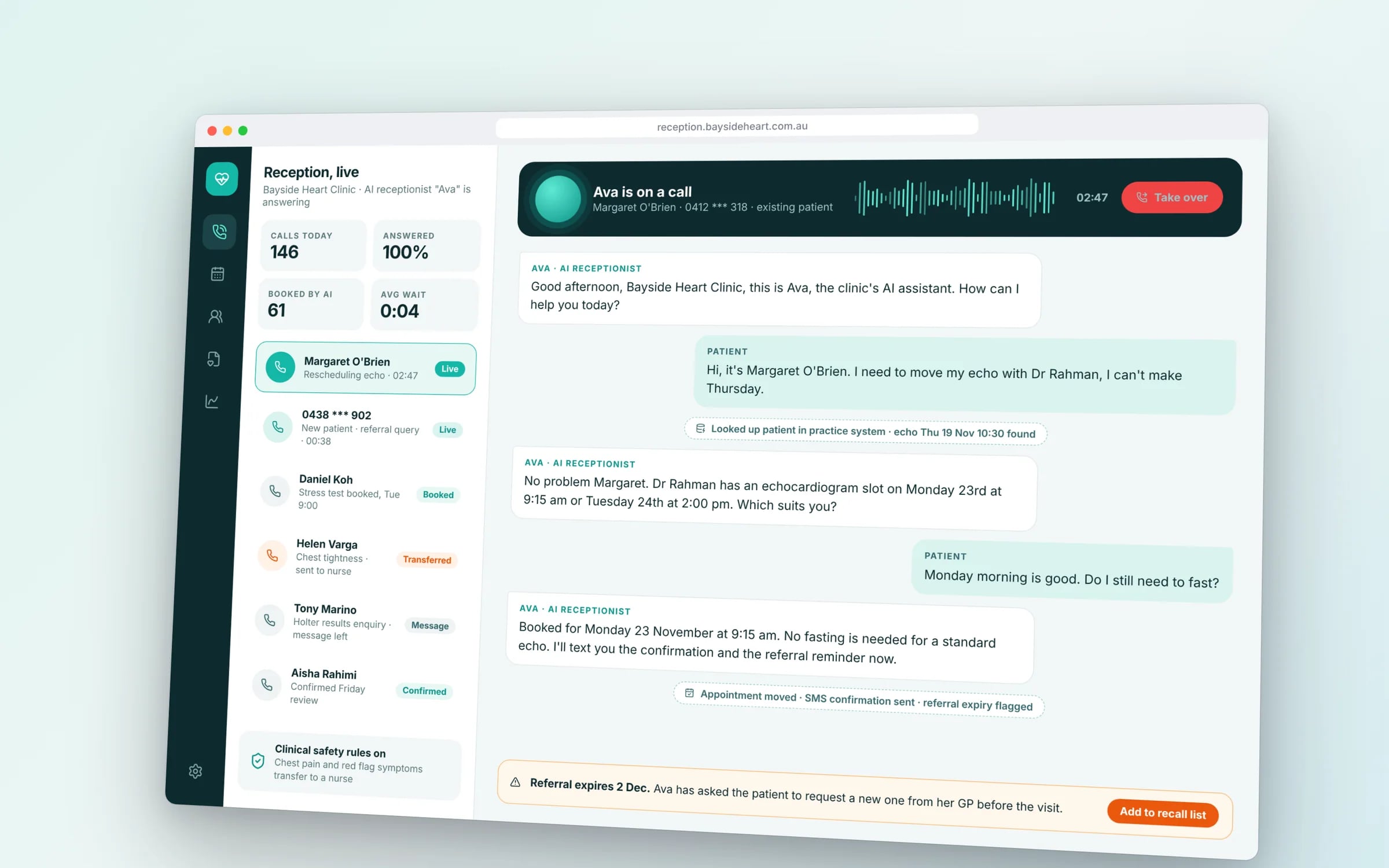
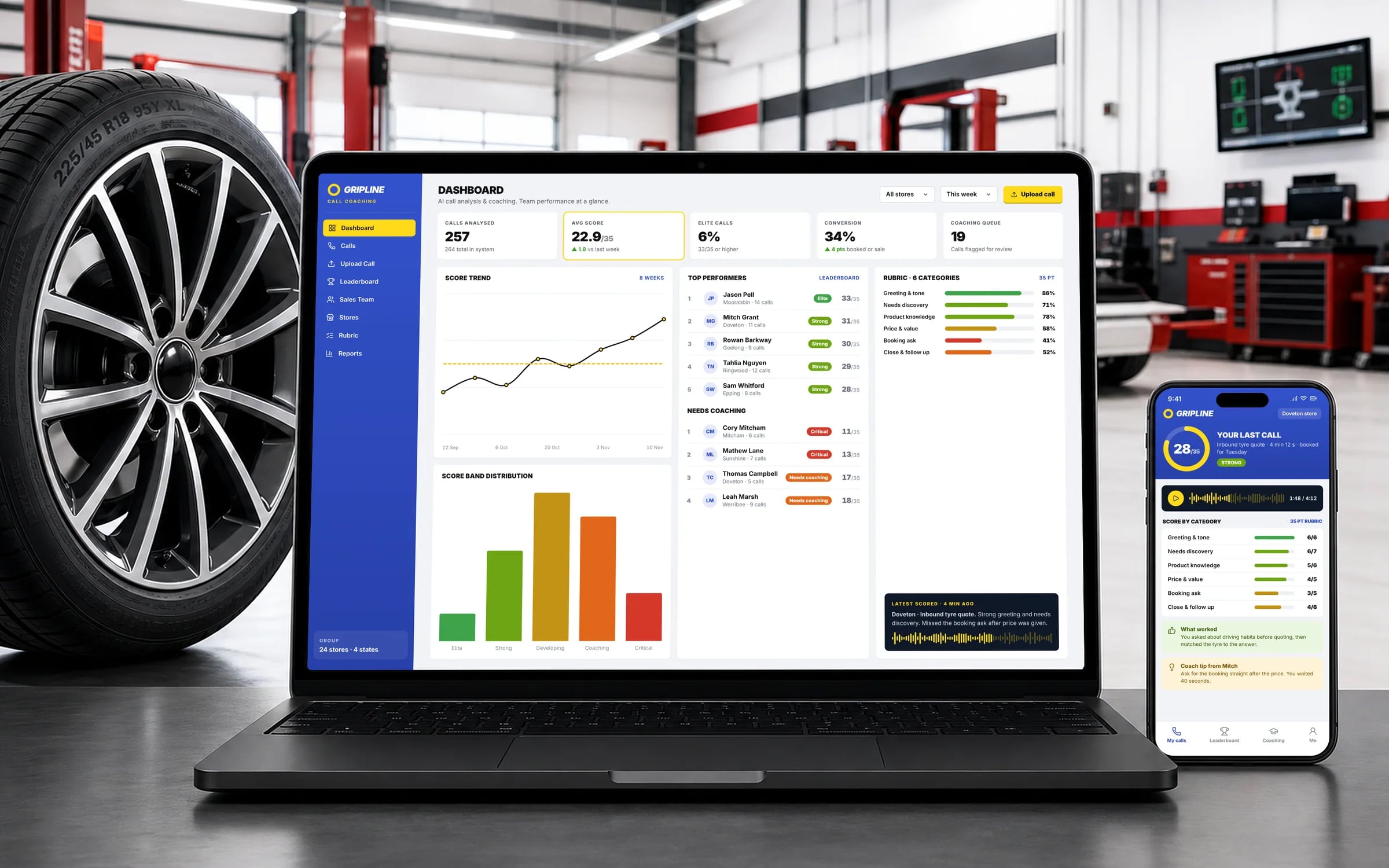
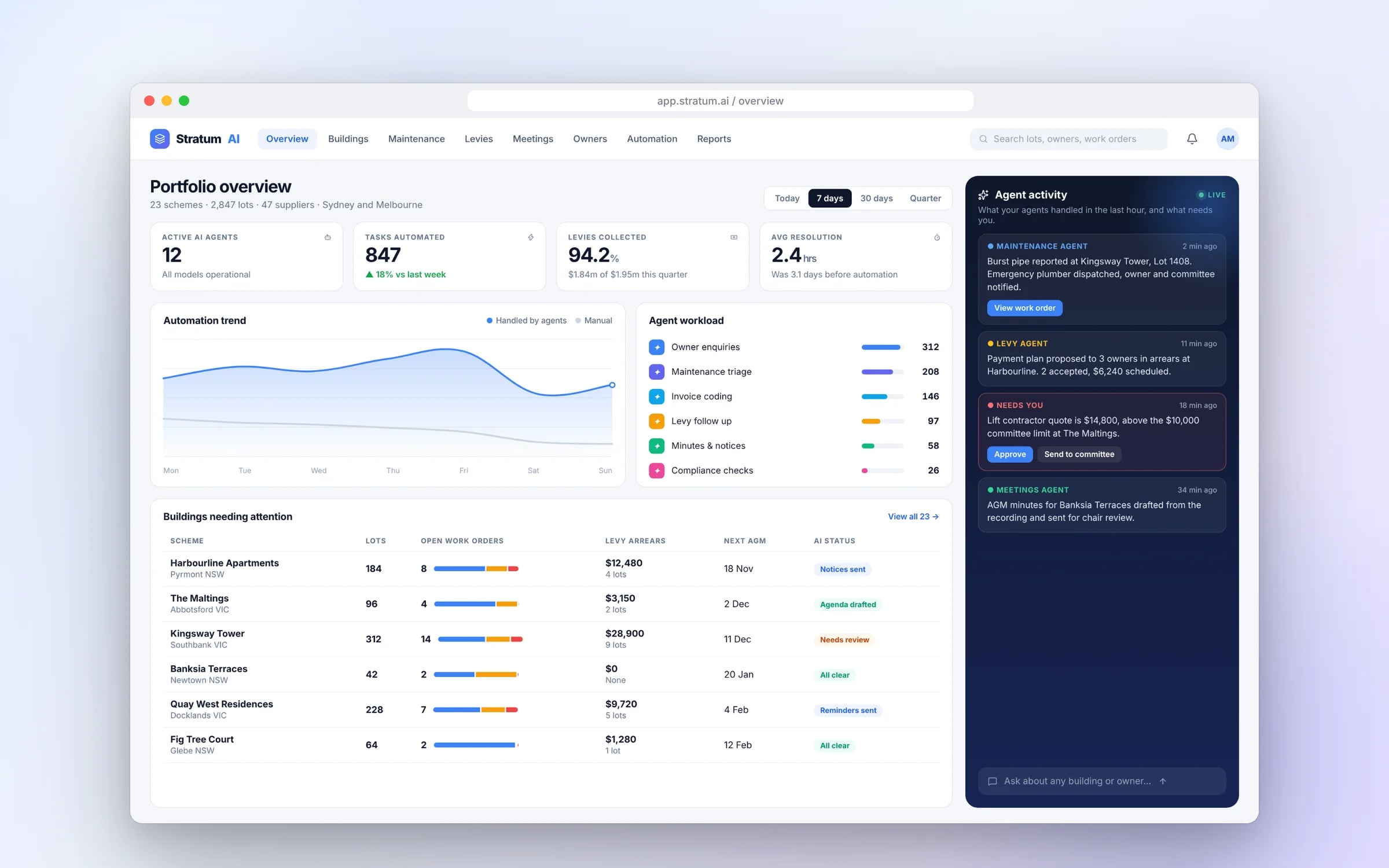
What it can look like. Screens from systems like the ones we build.
Example screens. The business names on them are invented, so no client is shown without permission.
★★★★★
“One of the BEST companies our business has worked with.”
Built by Hypex. Running in real businesses.
Built for businesses like yours
What does ai agents & automation from Hypex cover?
AI Agents and Automation from Hypex covers AI agents, chatbots, data platforms, IoT, cloud and DevOps, built into the systems your business already runs on.
It suits established Australian businesses where staff spend hours reading emails and PDFs and retyping them into other software. Each agent does one defined job against your own records, every action is logged, and the decisions you choose to keep wait for a person to approve.
Reviewed by the Hypex team, Port Melbourne
AI Agents & Automation: questions owners ask.
How is a custom AI agent different from an off-the-shelf AI tool?
A custom agent works inside your own system against your own records, while an off-the-shelf AI tool works only on whatever you paste or upload into it. A general assistant can summarise an email, but it cannot see your job schedule, customer history or price list, so someone still copies the result across. A custom agent reads the email, checks your records, creates the job and logs what it did. Off-the-shelf tools are fine for writing and research. Custom agents earn their place where the same task repeats many times a day.
How long does it take to get an AI agent working in our business?
The first working part is usually in use within weeks, because we build in stages and start with one defined job. After a 30-minute discovery call, we prepare a system map with the scope, timeline and a fixed price for each stage, which you keep whether or not you go ahead. The first stage is typically one agent handling one task, such as reading purchase orders, with your team approving its output. Later stages add tasks, systems or changes to approval steps once the first is proven.
Will AI replace our staff?
In most businesses, AI agents take over the reading, sorting and retyping parts of a role, and people move to the work that needs judgement, relationships and local knowledge. An accounts officer who spent half a day keying supplier invoices can spend that time chasing overdue accounts or checking the exceptions the agent flags. Decisions you choose to keep, such as approving payments or large quotes, stay with your team by design. The realistic outcome is a team that handles more volume without adding headcount at the same rate.
Who owns the AI system and the data once it is built?
Your business owns the source code, the data and the intellectual property, and the system runs in a cloud account in your name. That includes the prompts, rules and configuration that make each agent work. Data is encrypted in transit and at rest, and you can remove our team's access at any time. If you later want another developer to maintain it, they get the same code and documentation. Our pages on owning your software and on security explain the arrangements in more detail.
What do we need to prepare before an AI project starts?
You need examples of the work, access to the systems involved, and a person who knows how the task is done today. Examples might be a few months of emailed orders, supplier invoices or enquiry messages, including the awkward ones. Access means logins or API keys for systems such as Xero, MYOB, HubSpot or your job software. The person, often an operations lead, explains the rules staff follow and what counts as an error. Clean data helps, but it is not a precondition, since tidying records is often part of the first stage.
Can AI work with older systems that have no API?
Often yes, though the approach depends on the system. Where there is no API, an agent can work through exported files, a shared mailbox, a direct database connection, or in some cases by operating the system's screens the way a person would. Screen-based automation is more fragile, because a layout change can break it, so we treat it as a stopgap and look at whether the old system should eventually be replaced. The system map sets out the options and risks for each connection, so you can decide with the full picture.
Which AI models do you build on?
We choose the model to fit the job, commonly from OpenAI, Anthropic or Google, and sometimes an open model hosted in your own cloud account where data privacy calls for it. Reading invoices, classifying enquiries and drafting replies each have different needs for accuracy, speed and running cost. Because the agent sits inside your system, the model can be swapped later without rebuilding the workflow around it. We test candidate models on examples from your own business before choosing, and record the reasons so you can review the choice.
Show us how you run it today.
Thirty minutes with the people who would build it. We'll map where the hours go and tell you honestly whether custom software is worth it for you.