Single Page Applications. Snappy, interactive interfaces for data heavy products.
Fast, interactive front ends for dashboards and tools where every extra page load costs a user's attention.

What you walk away with.
- 01A fast, client rendered interface with no full page reloads
- 02State management wired to your existing APIs
- 03Performance budgets set and tested before launch
Five years of renting, against owning. The gap is the point.
What it can look like. Screens from systems like this.
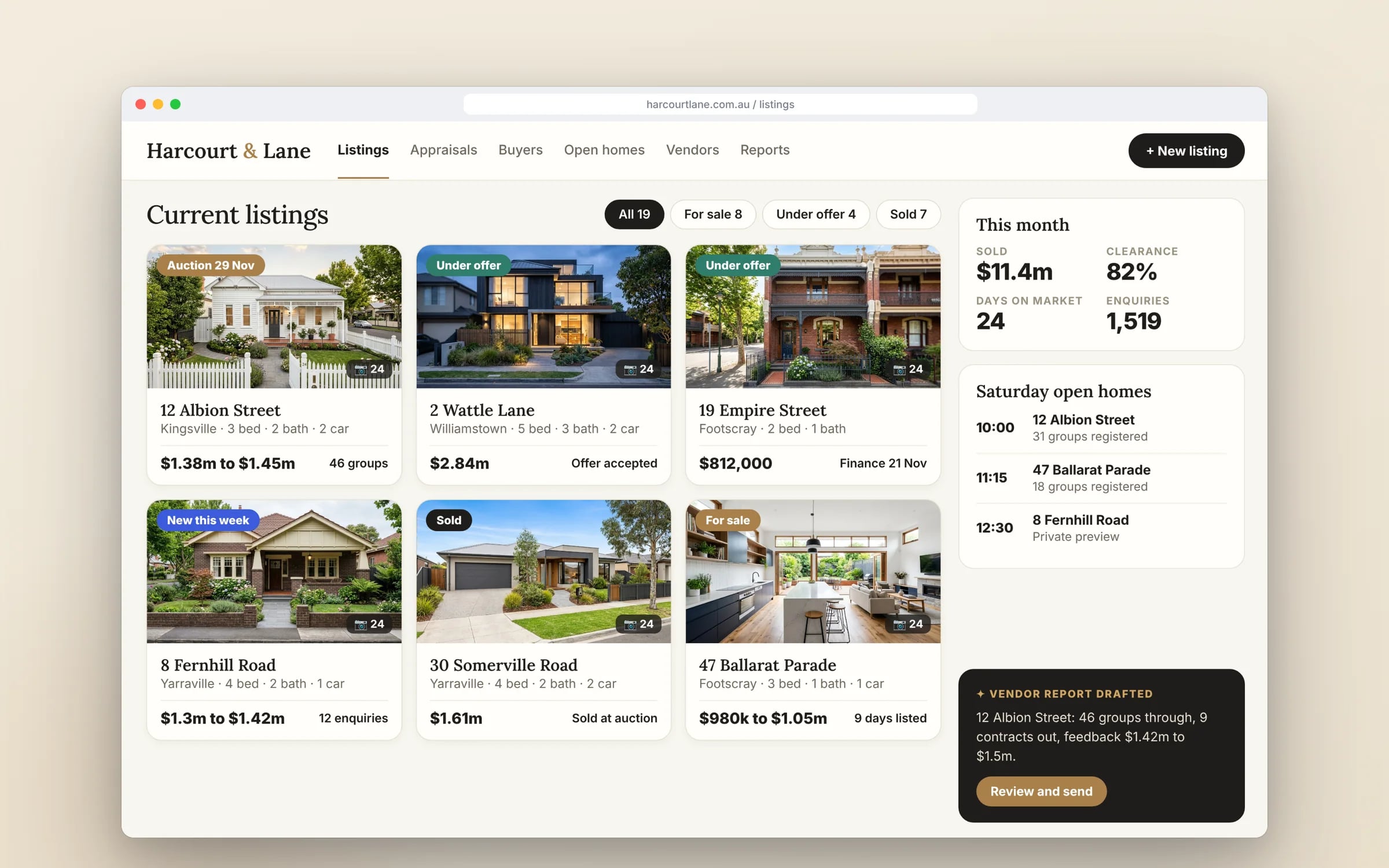
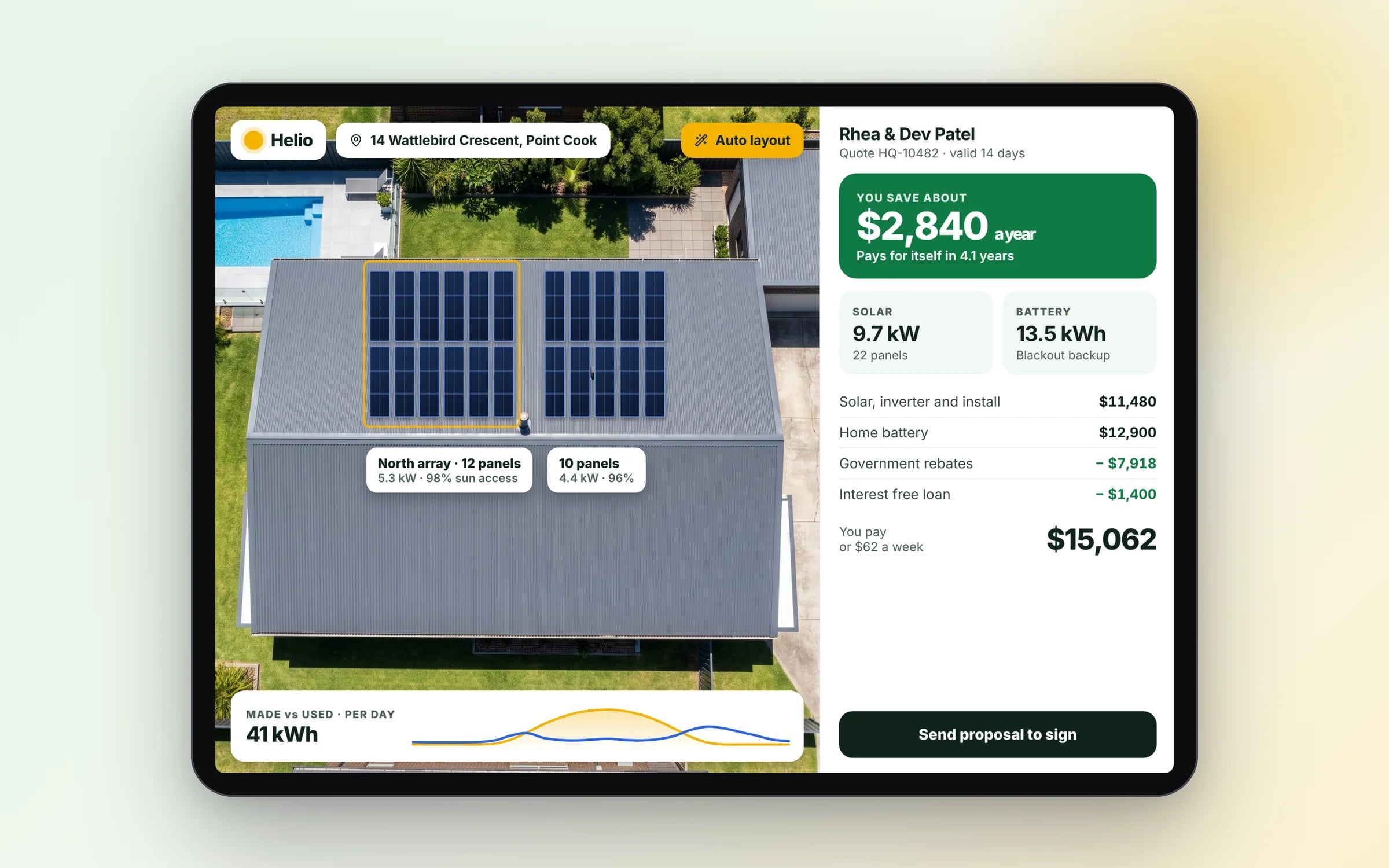
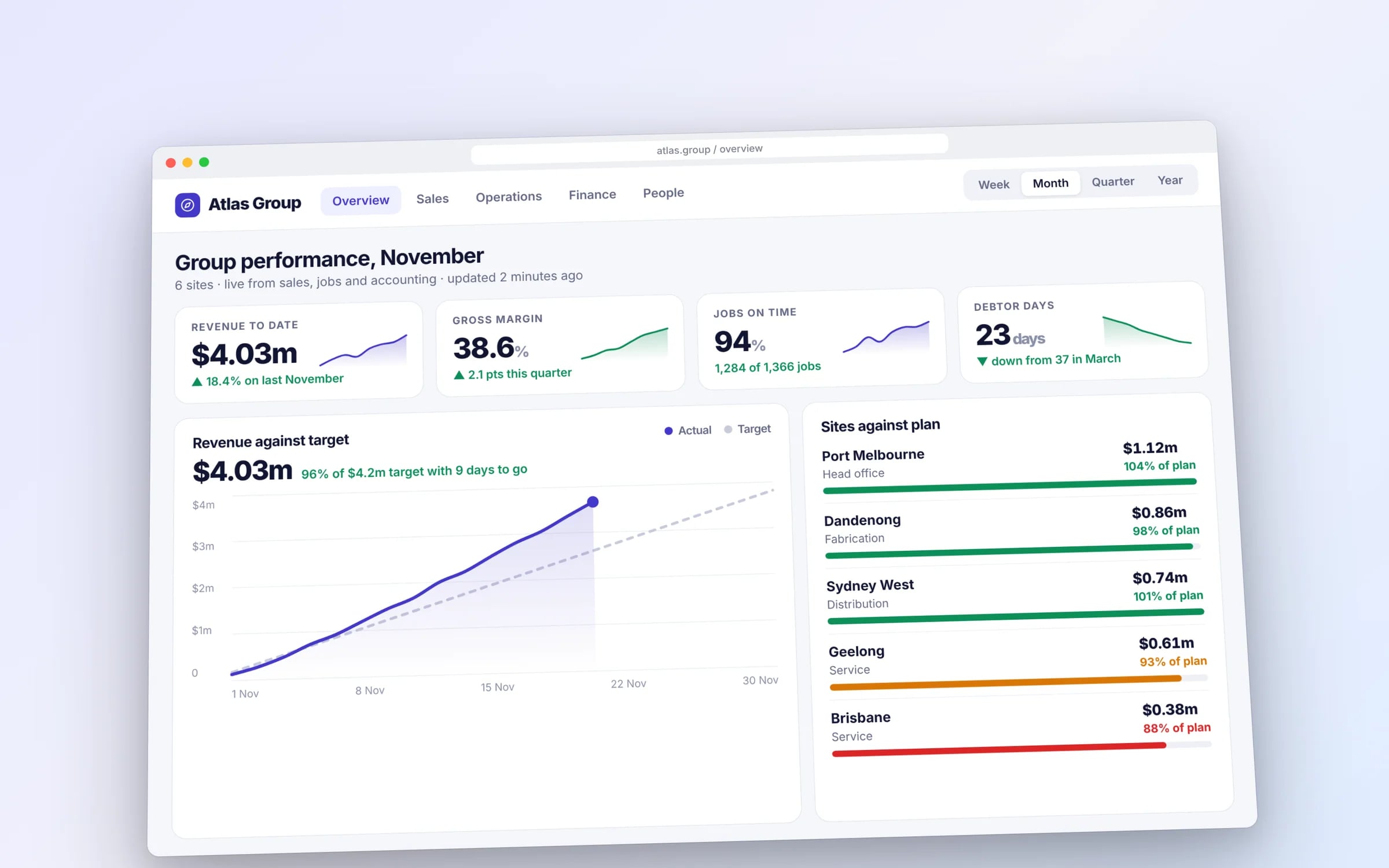
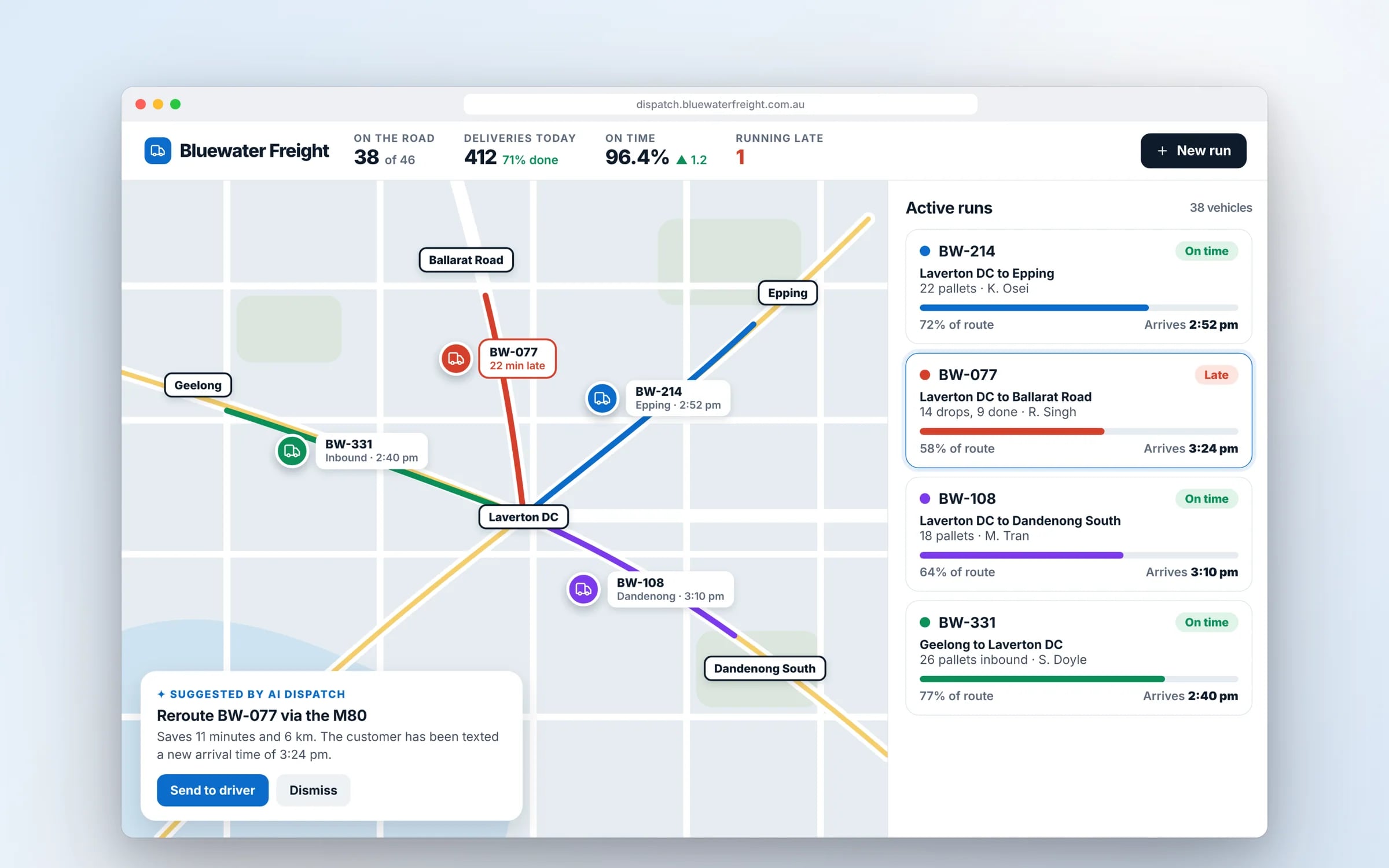
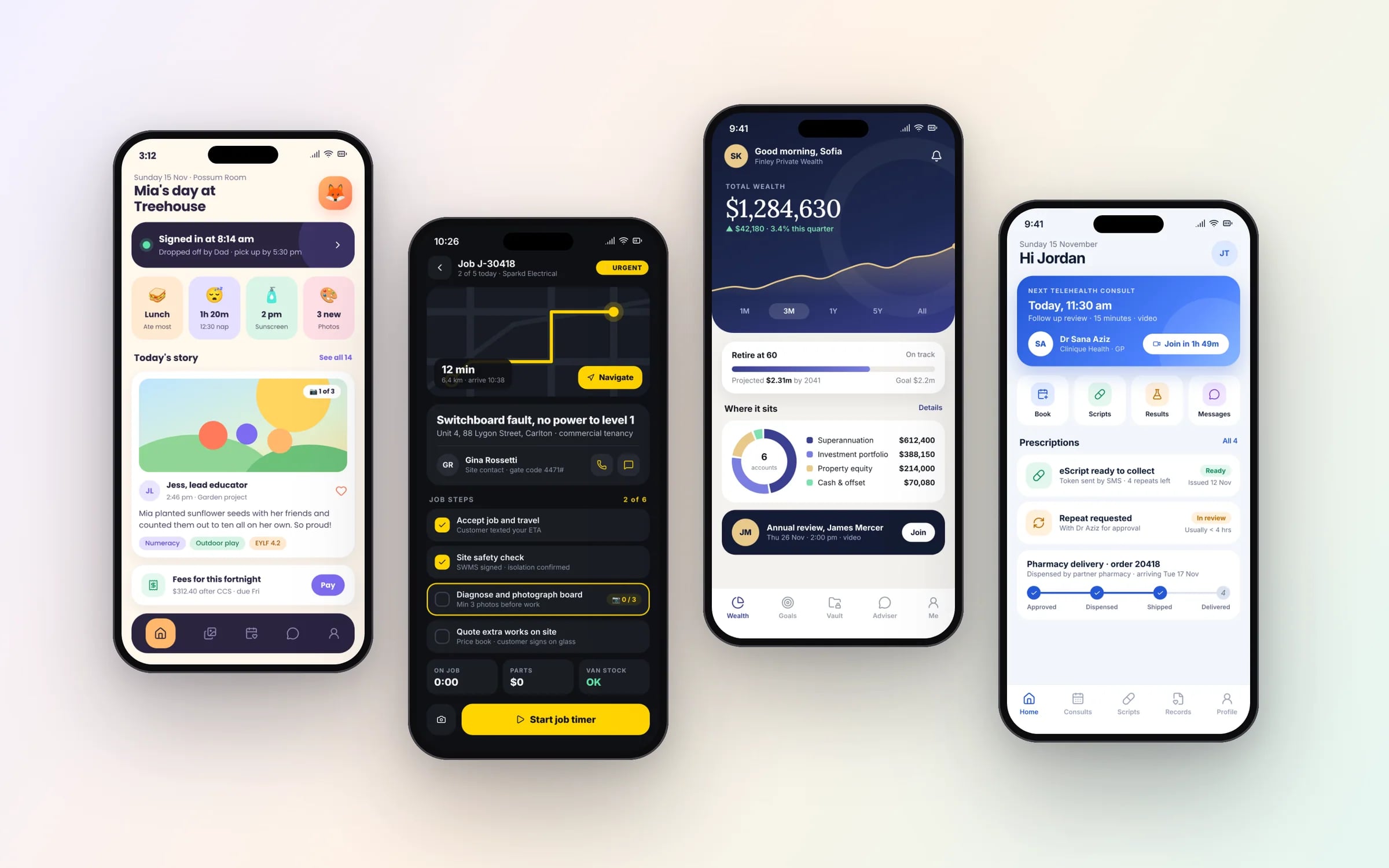
Example screens. The business names on them are invented.
You probably need this when
- 01Our dispatchers wait for the page to reload every time they change a filter.
- 02Staff export everything to Excel because the system is too slow to work in.
- 03We want to drag jobs between technicians instead of editing each one.
- 04The screen is out of date by the time anyone looks at it.
★★★★★
“One of the BEST companies our business has worked with.”
What happens, in order.
1Measure the current tool
Where staff wait, click repeatedly or give up and open a spreadsheet.
2Set performance budgets
Load and interaction targets agreed for the devices staff actually use.
3Build the busiest screen first
The board or dashboard used most, wired to your existing APIs.
4Test under load
Real data volumes and many users at once, checked before launch.
What is Single Page Applications?
A single page application (SPA) is a web app that loads once and then updates the screen in place as you click, filter and edit, without reloading whole pages.
It suits dashboards, schedulers and internal tools that staff use all day, where speed and interactions such as drag and drop or live updates directly affect how much work gets done.
Reviewed by the Hypex team, Port Melbourne
Questions owners ask.
What is the difference between a single page application and a multi-page website?
A single page application loads one page and redraws parts of it as you work, while a multi-page website loads a new page from the server for each click. SPAs feel faster for repeated, interactive work such as filtering a job board or dragging shifts on a roster. Multi-page sites are simpler, deliver each page fully rendered, and suit content that people read and search engines index. Many modern builds mix both: server-rendered public pages, with an SPA behind the login.
Are single page applications bad for SEO?
Single page applications can be harder for search engines when content appears only after JavaScript runs, so pages that need to rank should be rendered on the server or generated ahead of time. Google can render JavaScript, but it may do so later than it crawls the HTML, and many other crawlers, including some used by AI answer engines, read only the initial HTML. For a logged-in dashboard this does not matter. For public pages, use server rendering or a separate marketing site.
When does a business need a single page application?
A business needs an SPA when staff spend hours a day in one tool and every page reload costs them time, such as a dispatch board, roster planner, stock screen or reporting dashboard. Signs include people keeping several tabs open to compare data, waiting for pages to load after every filter, or exporting to Excel because the tool is too slow to work in. If the tool is mainly forms that are filled in once and submitted, a simpler multi-page app is often enough.
Can an SPA show live data without refreshing?
Yes, an SPA can show live data by holding an open connection to the server, using WebSockets or server-sent events, so changes appear on screen as they happen. A dispatcher sees a job marked complete the moment the technician closes it, and a warehouse screen updates as orders are picked. Live updates need careful design so screens stay responsive with many users connected, and so two people editing the same record do not overwrite each other's changes.
How do you keep a single page application fast as it grows?
An SPA stays fast when performance budgets for load time and interaction speed are set early and tested on every release. Practical techniques include loading only the code each screen needs, paginating or virtualising long lists so thousands of rows do not render at once, caching data that rarely changes, and moving heavy calculations to the server. Measure on the devices and connections your staff actually use, because an office desktop hides problems that a tablet on site will show.
Single page application vs multi-page site.
- How it loads
Single page applicationLoads once, then updates parts of the screen
Multi-page siteLoads a full page from the server on each click
- Best for
Single page applicationDashboards, schedulers and tools used all day
Multi-page siteContent, marketing pages and simple forms
- Search visibility
Single page applicationNeeds server rendering for any page that must rank
Multi-page siteIndexed easily, as each page arrives as full HTML
- Interactions
Single page applicationDrag and drop, live updates and instant filtering
Multi-page siteEach action usually waits for a new page
- Build complexity
Single page applicationMore state in the browser to design and test
Multi-page siteSimpler structure with less state in the browser
What moves the cost and the timeline.
After a 30-minute call you get a system map with a fixed price for each stage, before any work starts. These are the things that shape it.
- Number of interactive screens and how complex each one is
- Live data and several people editing at once
- State of the existing APIs the interface reads from
- Volume of data shown and filtered at one time
Built for businesses like yours
Show us how you run it today.
Thirty minutes with the people who would build it. We'll map where the hours go and tell you honestly whether custom software is worth it for you.