Product Design. End to end design from user flows through to final interface.
Design carried end to end, from user flows and information architecture through to a finished, build ready interface.

In numbers.
How it runs, step by step.
- Step 1
Watch the work
We observe and interview the people who'll use the product, such as schedulers, crews and customers, and collect the forms, spreadsheets and job sheets they rely on now.
- Step 2
Flows and structure
User flows for each key task and an information architecture that organises navigation, roles and data.
- Step 3
Prototype and test
Clickable prototypes of the core flows, tested with real users and revised before the visual design is finalised.
- Step 4
Interface and design system
Every screen designed to a build-ready standard from a component library, with states and edge cases documented.
- Step 5
Design through the build
Designers stay with the developers through each stage, answering questions and adjusting the design as real data and constraints show up.
What it can look like. Screens from systems like this.
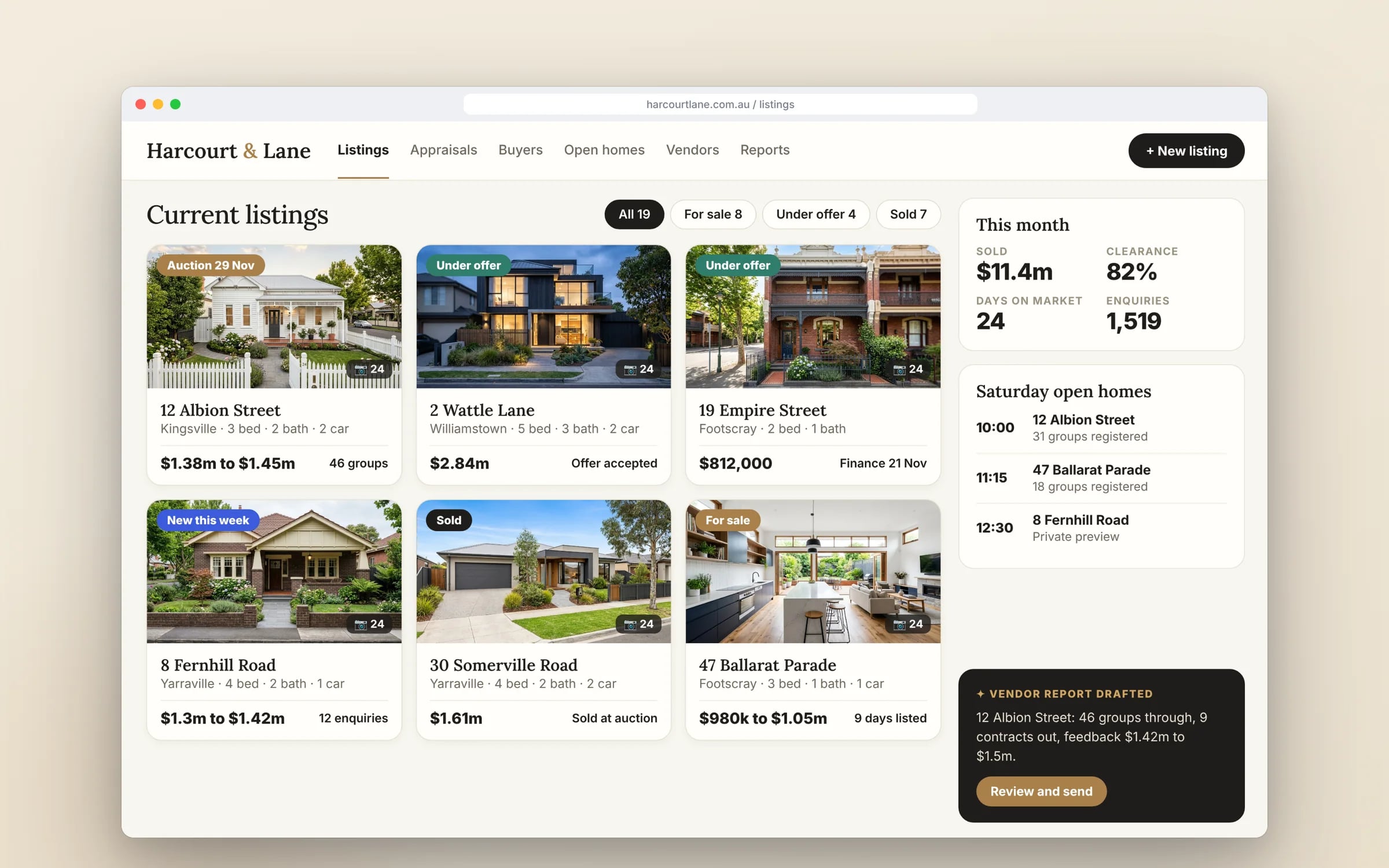
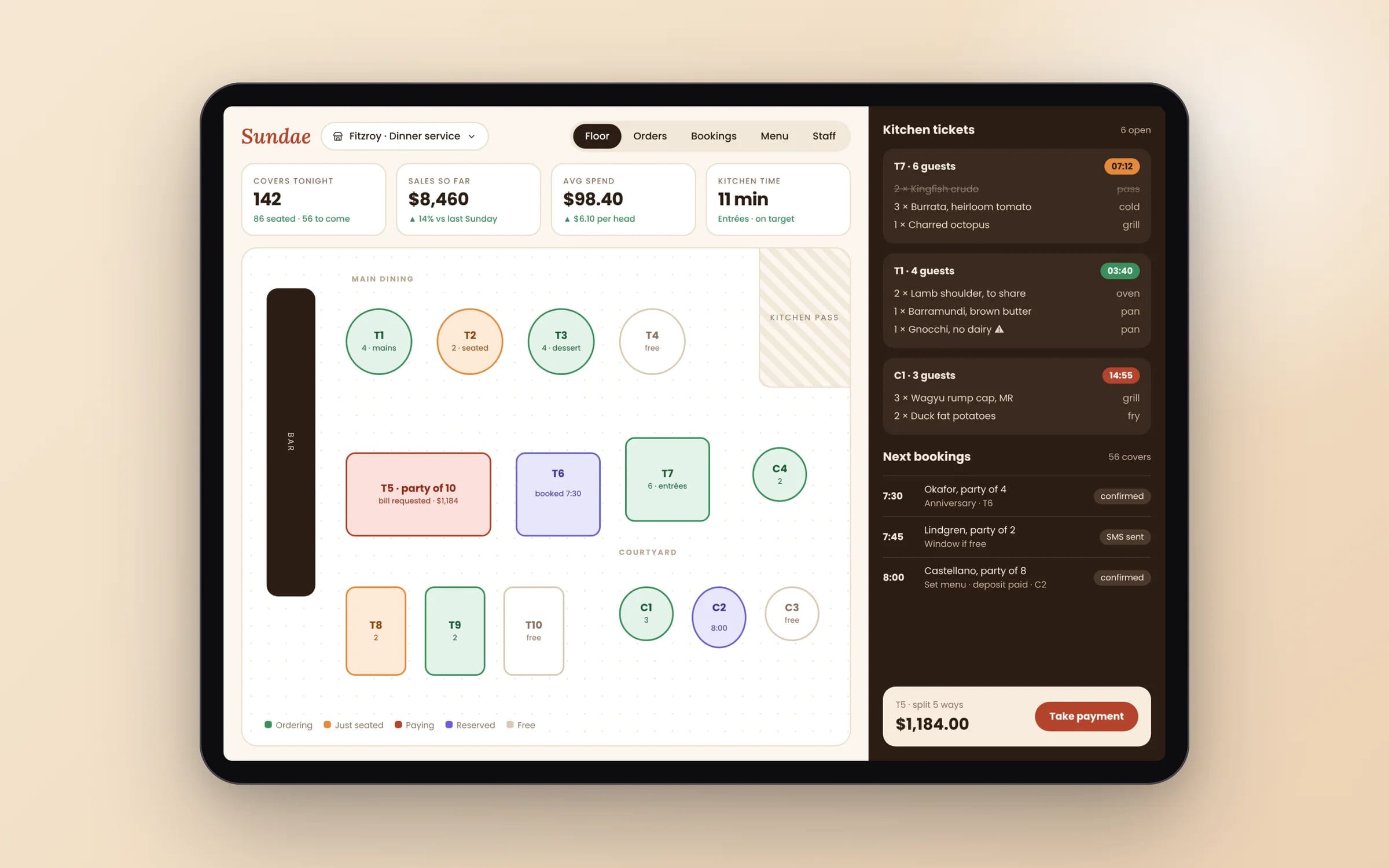
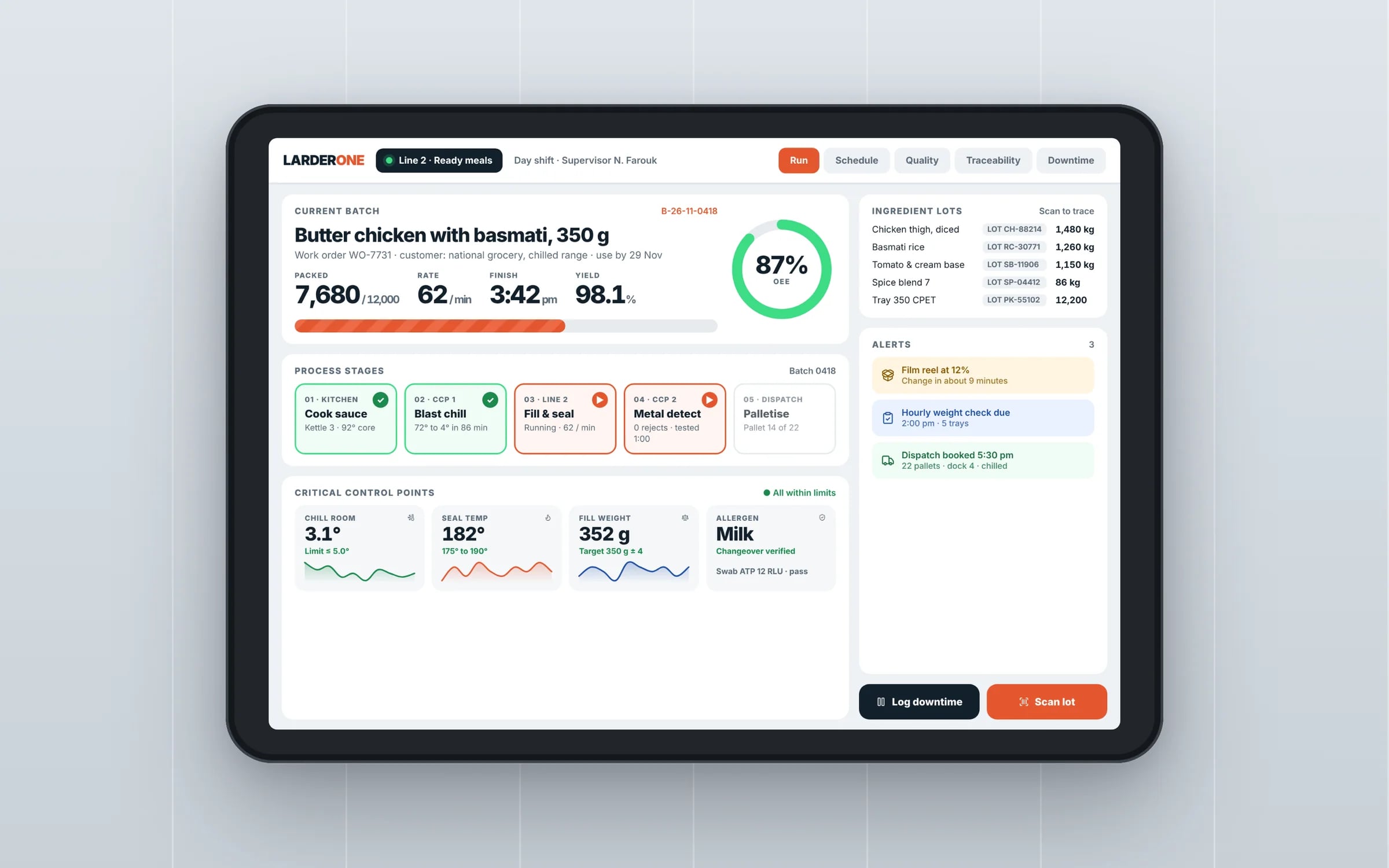
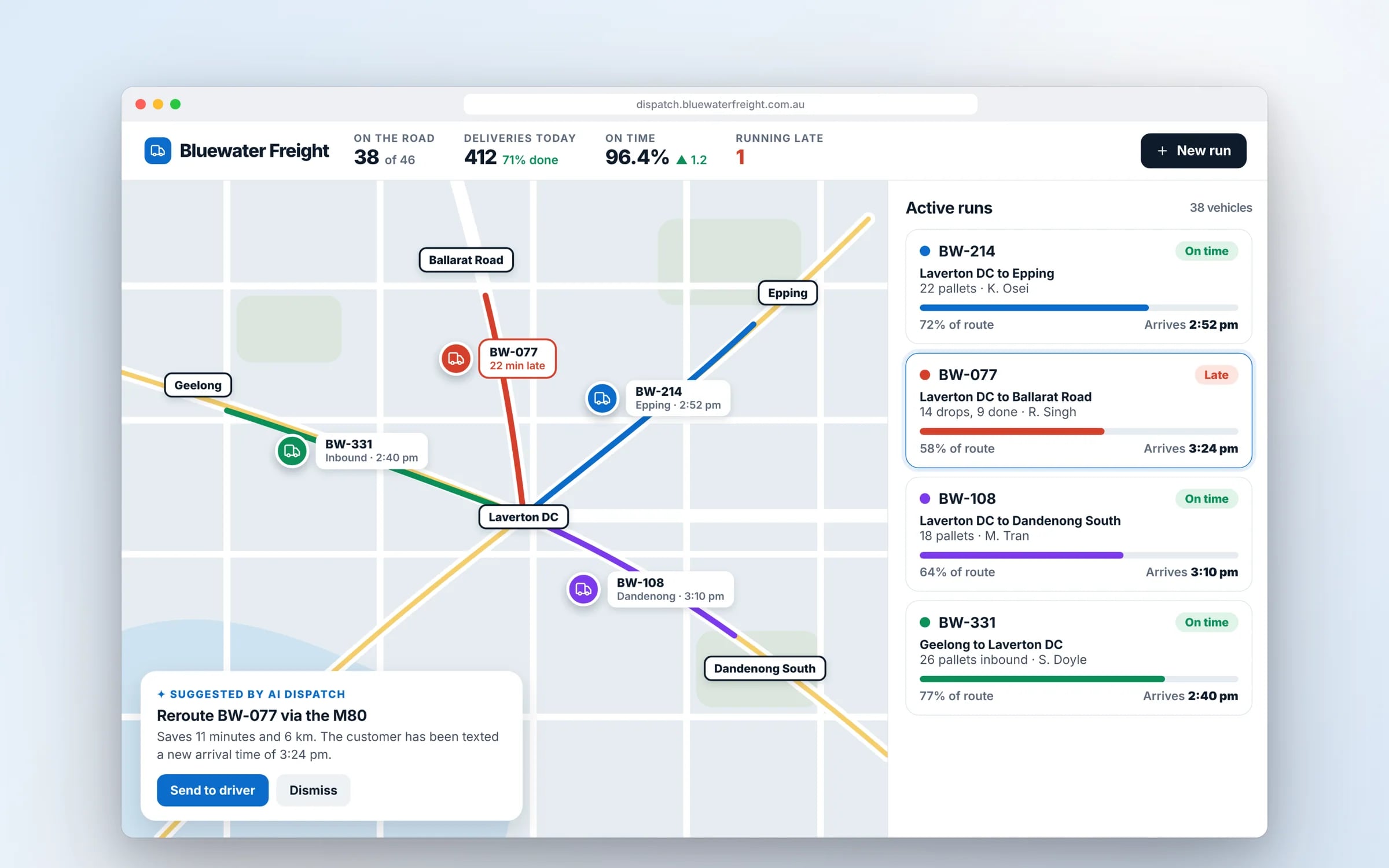
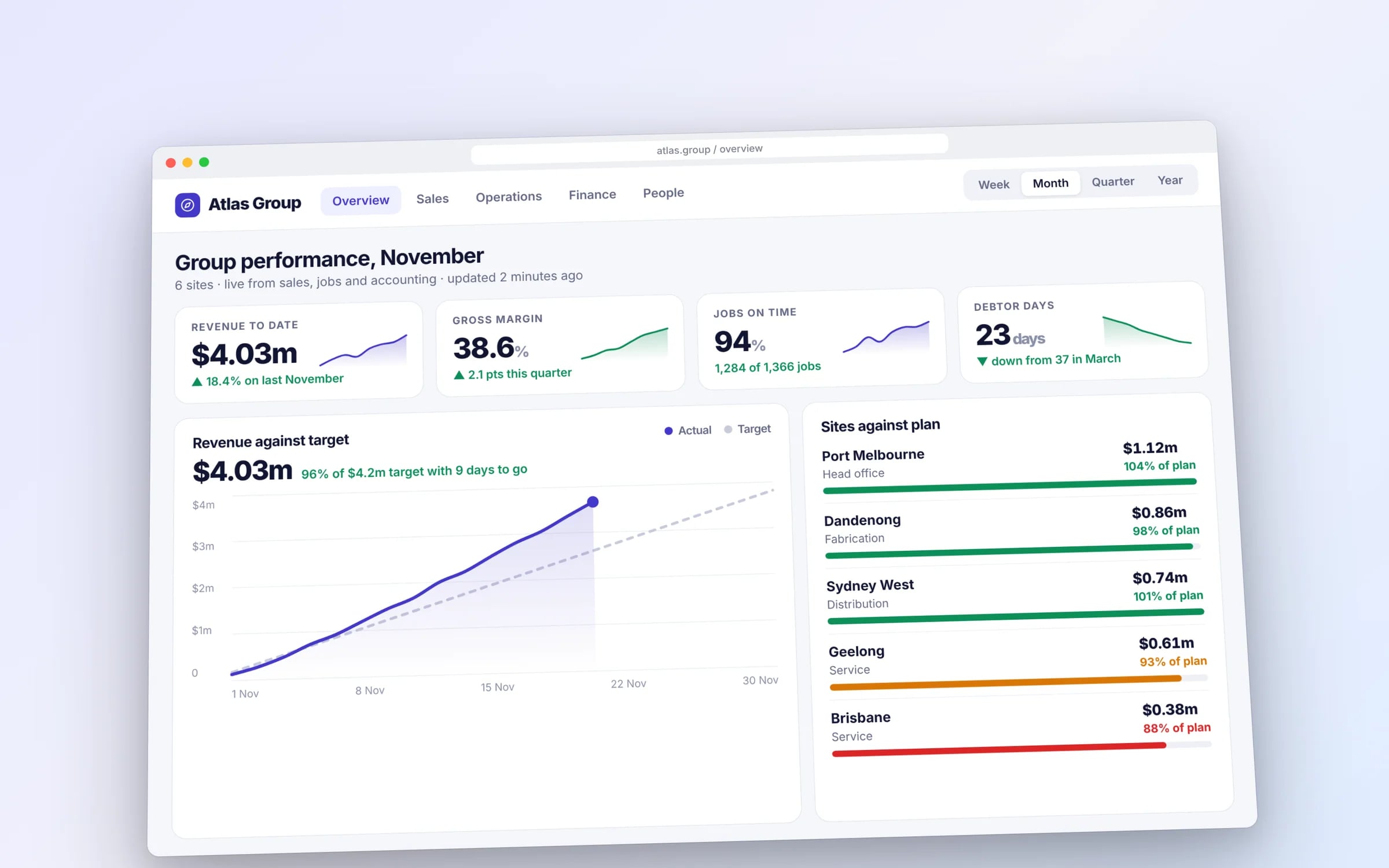
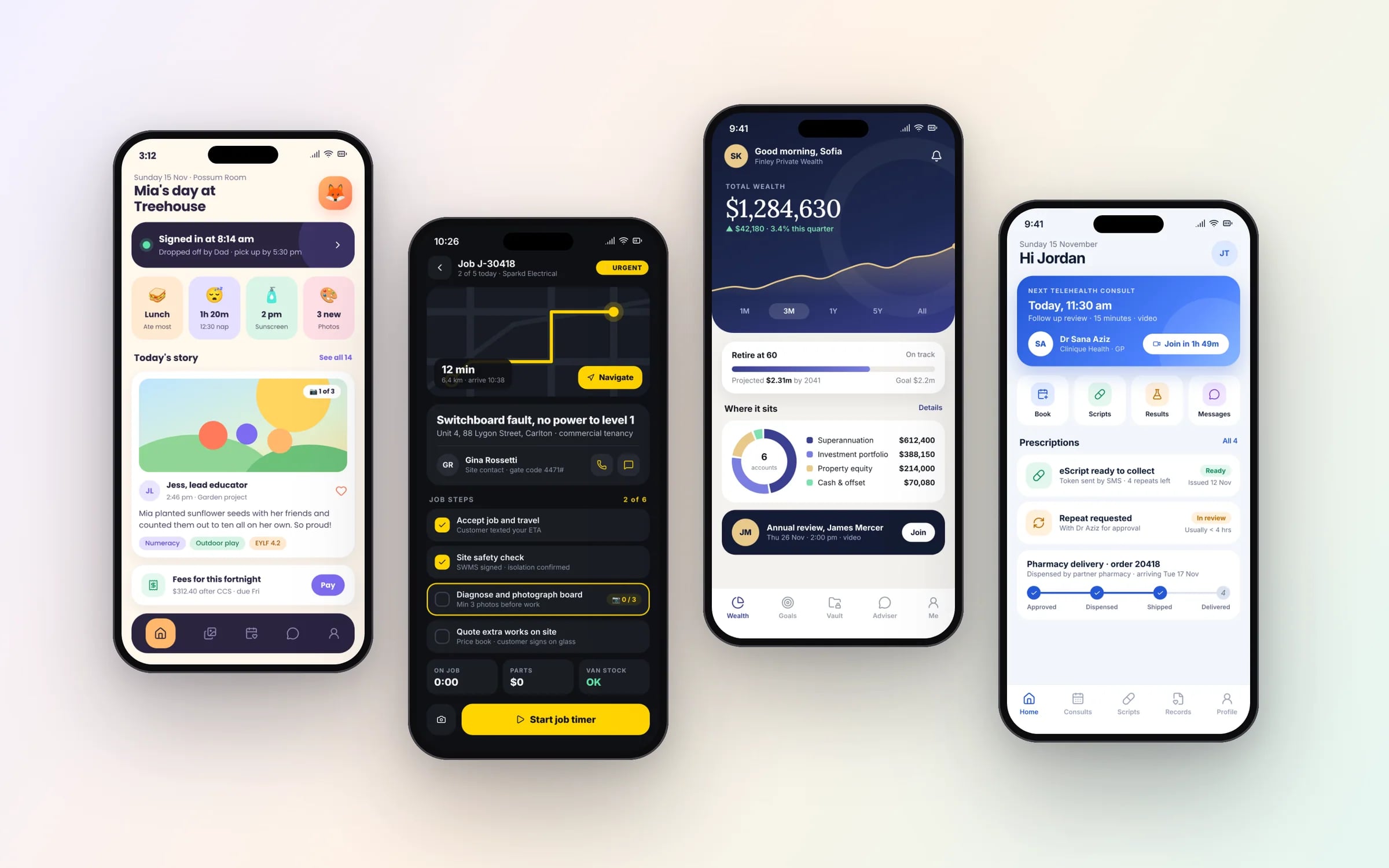
Example screens. The business names on them are invented.
★★★★★
“We were impressed with the sheer professionalism displayed by TJ and Harry.”
Clicks to finish one job. Before and after a redesign.
- Today, across three tools38 clicks
- After the redesign, one screen9 clicks
Illustrative: booking, dispatching and invoicing one job.
You probably need this when
- 01Our system grew one feature at a time and nobody can find anything any more.
- 02Office staff and field crews both use it, and it suits neither.
- 03Every new screen looks slightly different from the last one.
- 04We're about to build new software and want the design settled before paying developers.
What you walk away with.
- 01User flows and information architecture for the full product
- 02A build ready interface, screen by screen
- 03A component library engineers can implement directly
What is Product Design?
Product design is designing a piece of software end to end: who uses it, the tasks they need to complete, how the screens connect, and a finished interface developers can build from.
It suits businesses commissioning a new system or rebuilding one that grew feature by feature, where staff, customers and the office all use the same product in different ways.
Reviewed by the Hypex team, Port Melbourne
Questions owners ask.
What does a product designer do?
A product designer works out how software should work and look so it solves a real business problem for the people using it. That covers researching how users do the job today, mapping their tasks into user flows, organising navigation and content, designing every screen and its states, and specifying components for developers. In a small team, the product designer also tests prototypes with users and works alongside developers during the build, adjusting the design when real constraints appear.
What is information architecture in software design?
Information architecture is how a product's content and features are organised, named and connected so people can find what they need. For an operations system it settles questions such as whether jobs sit under customers or customers under jobs, what goes in the main navigation, and what each role sees on their home screen. Get it wrong and every later screen fights it. We test it early with card sorting or quick prototypes that use your staff's own terms.
What is a user flow?
A user flow is a diagram of the steps a person takes to complete one task, including the decisions and errors along the way. For example, a flow for closing out a cleaning job might cover opening the job, completing the checklist, taking before and after photos, getting a client sign-off and handling a missing item. Flows are drawn before screens, so gaps and dead ends are found while they're cheap to fix, and they become a checklist for testing later.
What is a design system and when does a product need one?
A design system is a shared library of reusable components, such as buttons, form fields, tables and status badges, with rules for how they're used, so every screen is built from the same parts. A product needs one once it has more than a handful of screens or more than one developer, because without it each screen drifts and every new feature is designed from scratch. For most businesses it starts small, built from the components the first release needs, and grows from there.
How do you design one system for both office staff and field workers?
Design one system for office and field users by sharing the data and structure but giving each role screens suited to where they work. Office staff at a desk need dense tables, filters and bulk actions; field workers need large buttons, forms that work offline and the next job front and centre. Role-based access controls what each person sees. We map both roles' tasks before designing screens, so hand-offs between them, such as a job sheet moving from the field to invoicing, work cleanly.
What does build-ready design mean?
Build-ready design means developers can build each screen without making design decisions themselves. Every screen includes its states, including loading, empty, error and success, with spacing, typography and colour drawn from the design system, plus notes on behaviour such as validation rules and what happens on each tap. Edge cases like long names, missing photos and restricted permissions are covered too. Anything less leaves developers guessing, and guesses turn into rework.
What moves the cost and the timeline.
After a 30-minute call you get a system map with a fixed price for each stage, before any work starts. These are the things that shape it.
- Number of user roles and distinct workflows
- Platforms in scope: web, mobile or both
- How much research and user testing is included
- Whether a design system exists or must be created
- Complexity of data-heavy screens such as schedules, rosters and dashboards
Built for businesses like yours
Show us how you run it today.
Thirty minutes with the people who would build it. We'll map where the hours go and tell you honestly whether custom software is worth it for you.