Mobile App Development. Native and cross platform apps for iOS and Android.
We design and build mobile apps that feel native, ship on both major platforms, and stay connected to the same backend powering your web and internal tools.
What's in it. Each part can be built on its own.
Most clients start with one of these where the hours are going, then add the next once it has proved itself.
 01iOS App DevelopmentNative apps built against Apple's latest platform tools.
 02Android App DevelopmentNative apps tuned for the Android device ecosystem.
 03Cross Platform AppsOne codebase shipped to iOS and Android without the compromise.
 04Flutter DevelopmentHigh performance cross platform builds on Google's Flutter.
 05AR/VR App DevelopmentAugmented and virtual reality apps for headsets and phones.
 06Wearable & Companion AppsExtending a product onto watch and connected devices.
Where to start. Pick by the problem you have.

- If most of your users carry iPhones, or the app depends on Apple features like Face ID, Apple Pay or LiDAR, start withiOS App Development
- If your crews carry Android handsets or rugged scanners the business supplies, start withAndroid App Development
- If you need both stores with one team and one release schedule, start withCross Platform Apps
- If you want a custom-branded interface that looks the same on iPhone and Android, start withFlutter Development
- If staff need shift offers and job alerts on the wrist without reaching for a phone, start withWearable & Companion Apps
Works without signal. Syncs when it's back.
Field crews keep working with no signal. Photos, signatures and times are saved on the device and sync the moment it reconnects, with no conflicts and every timestamp kept.
Where it sits. Every system we build has the same five layers.
Mobile App Development covers the layers lit in red. The rest are there in every build, so each part you add later lands on the same foundation.
- ScreensOffice, field app, customer portal
- AI agentsRead, chase, reconcile, draft
- Workflow & rulesJobs, approvals, pricing, scheduling
- Data & integrationsOne database, plus Xero, Stripe, couriers
- Your cloud accountIn your name, backed up, yours to keep
Layers this covers: Screens, Data & integrations.
Five years of renting, against owning. The gap is the point.
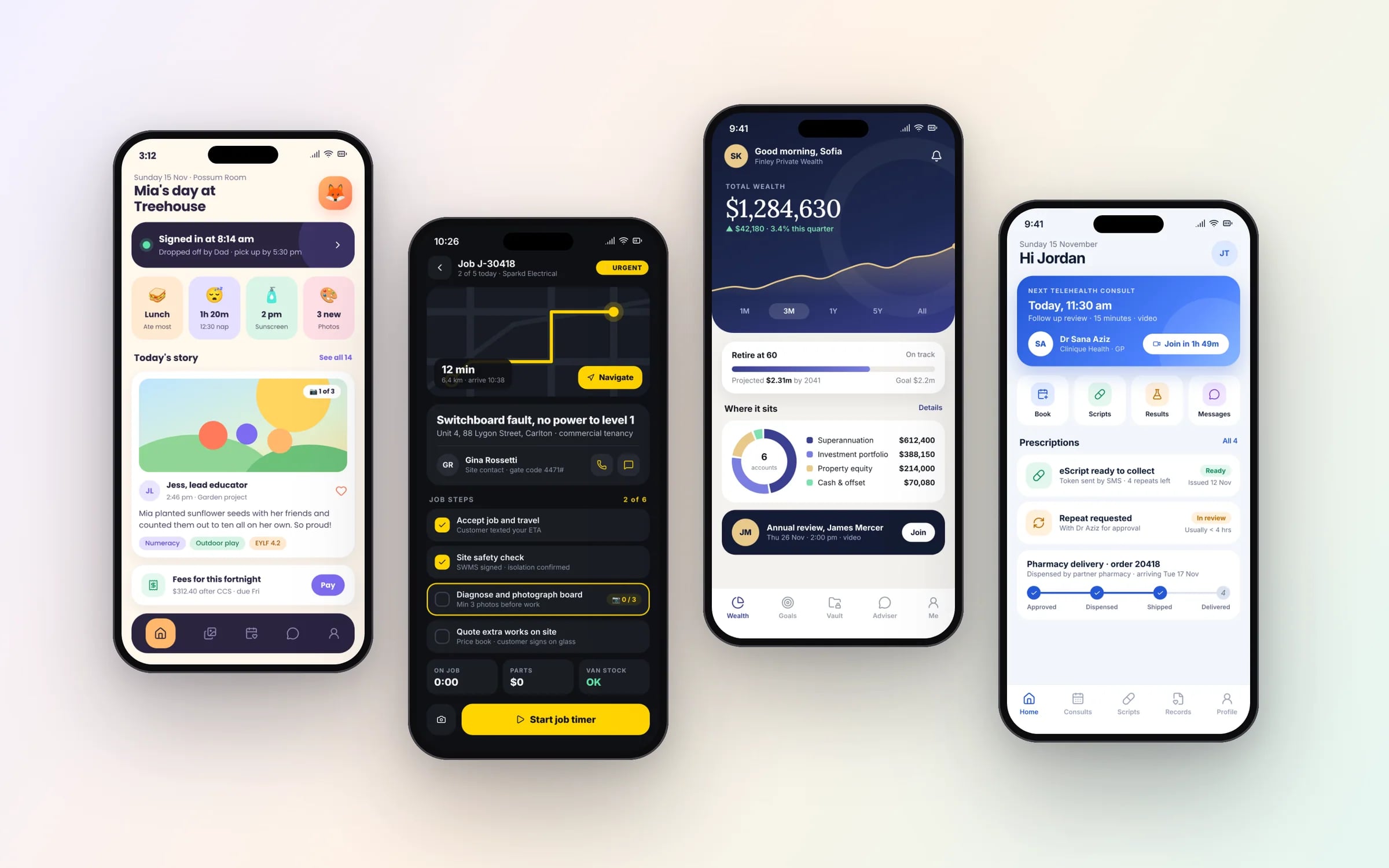
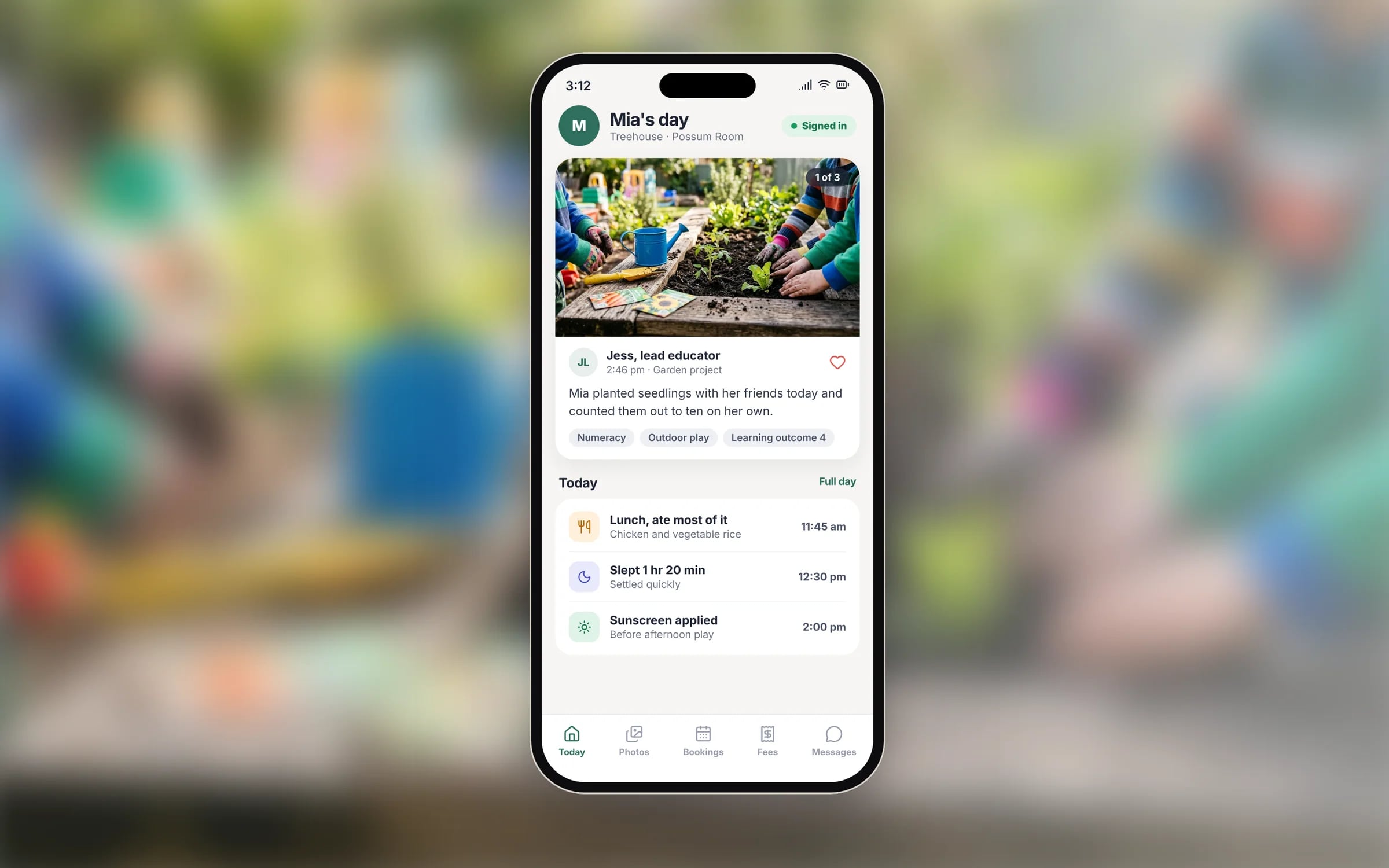
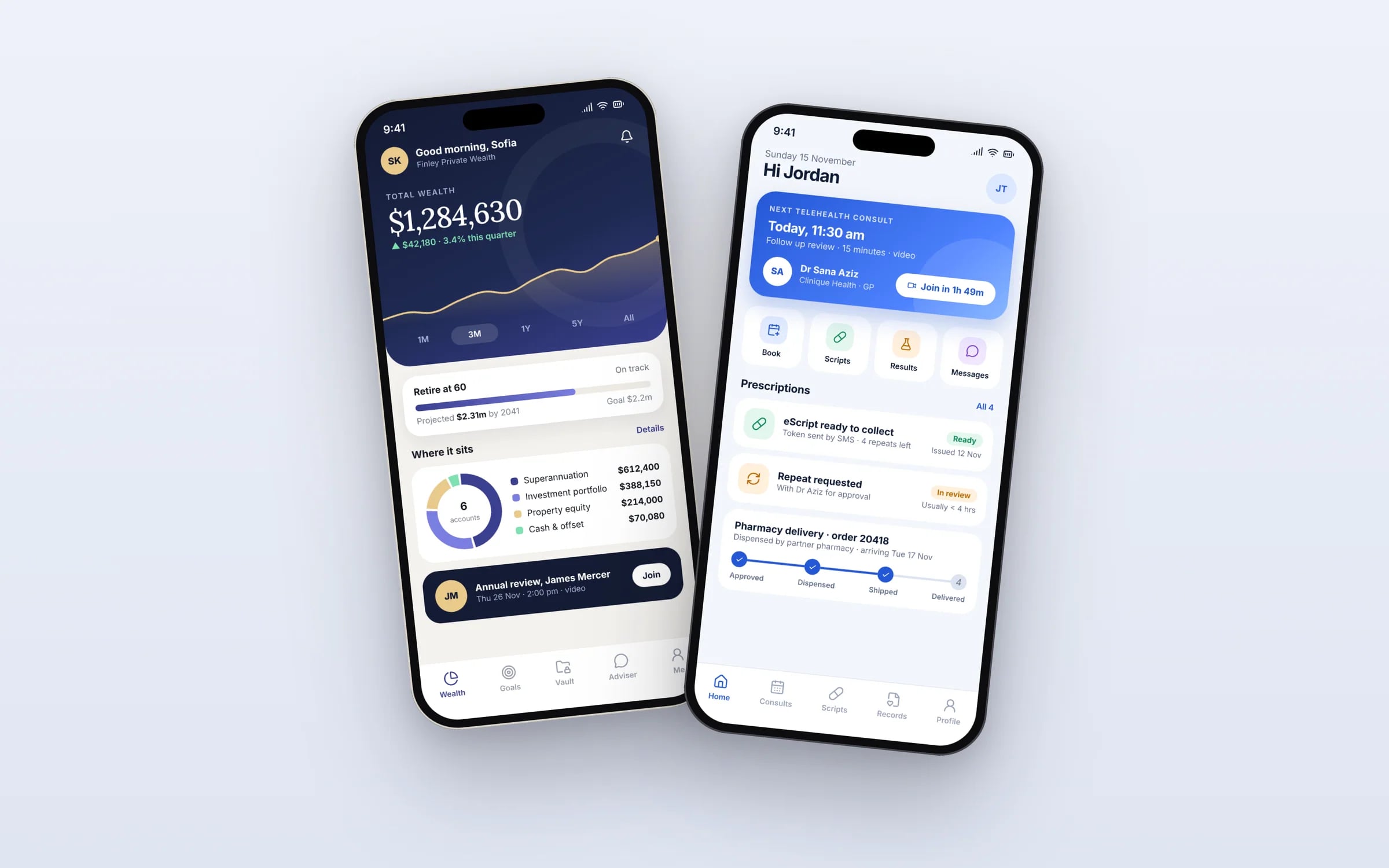
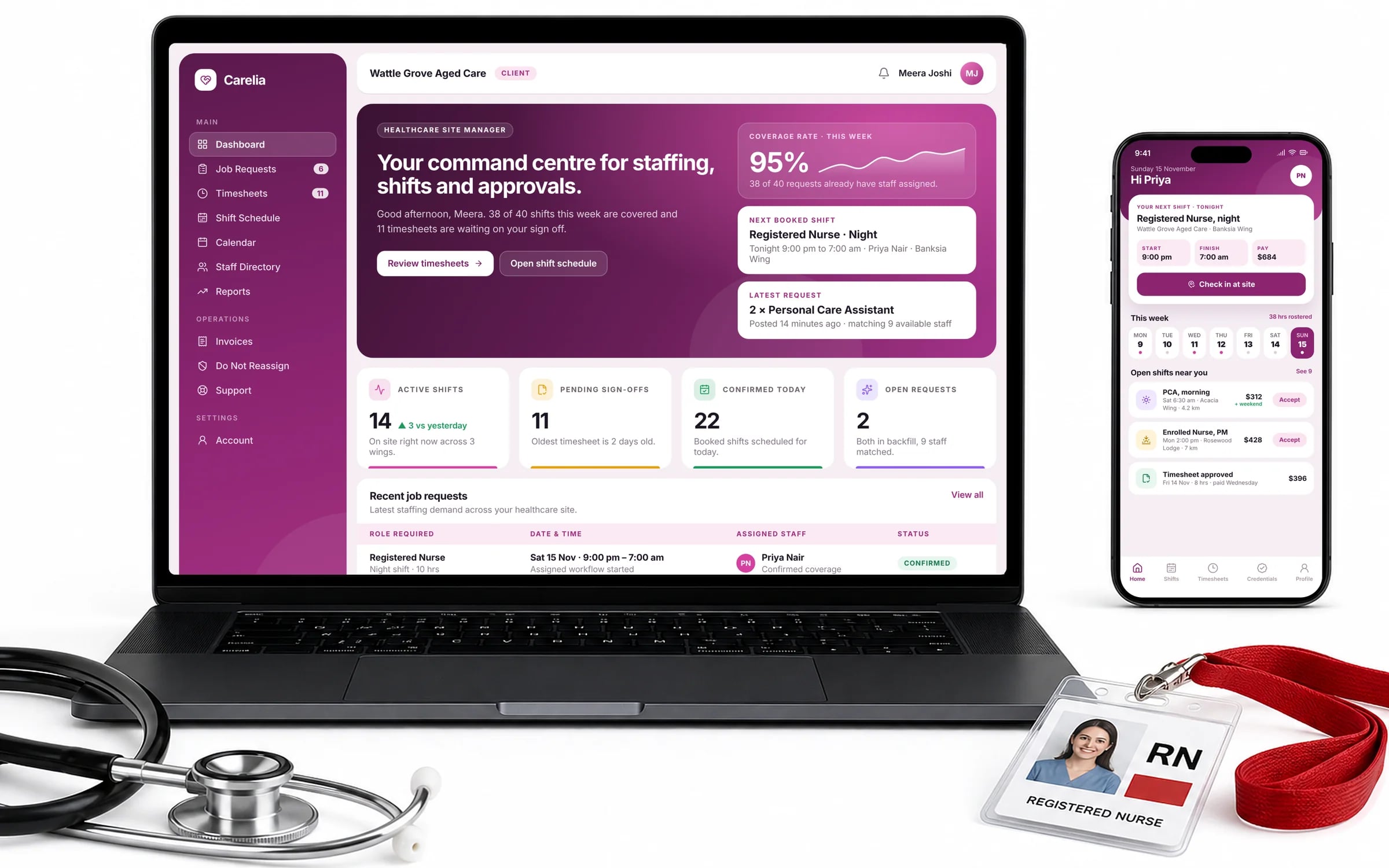
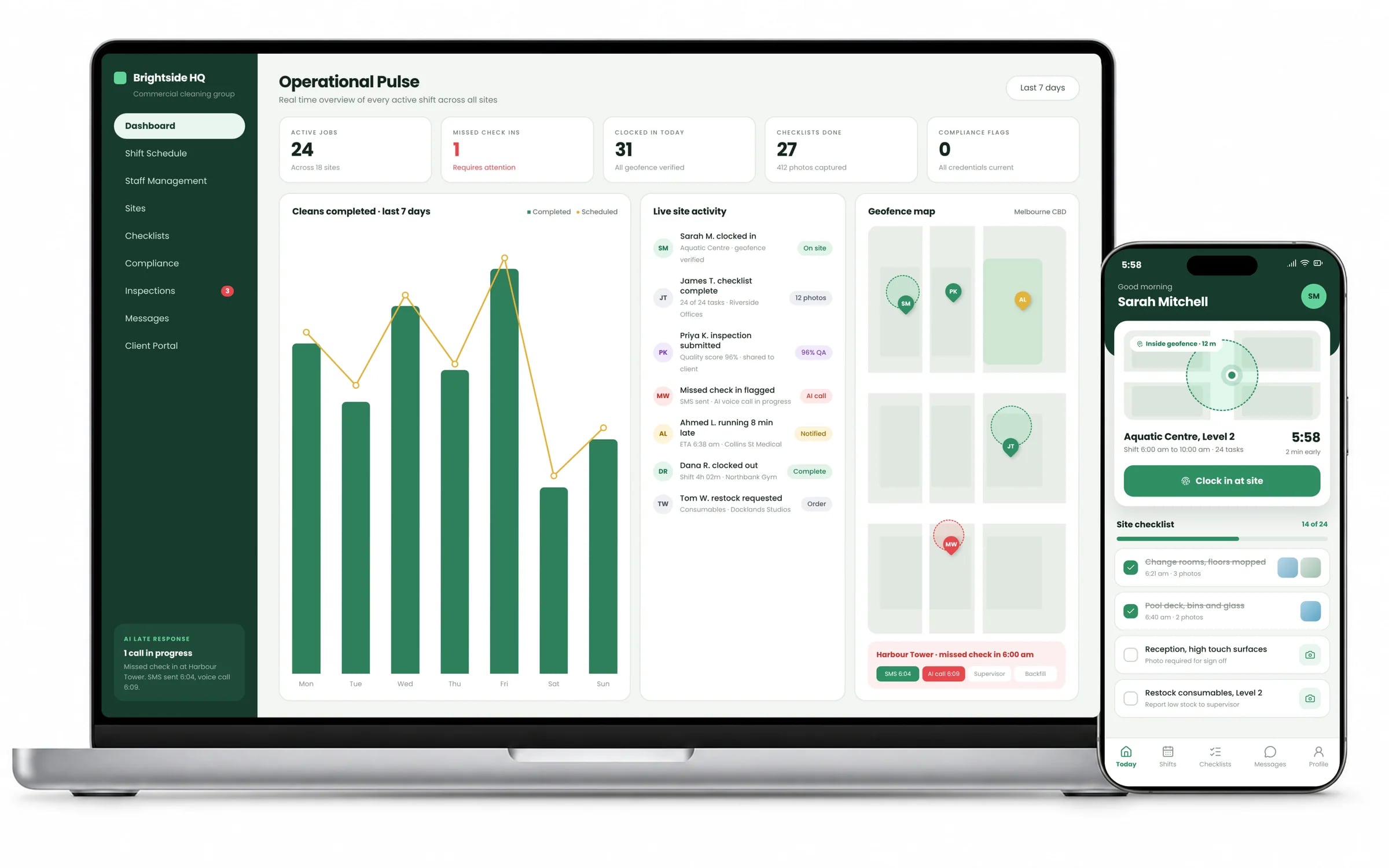
What it can look like. Screens from systems like the ones we build.
Example screens. The business names on them are invented, so no client is shown without permission.
★★★★★
“Great team to work with, really strive for success and provide excellent communication with any service provided.”
Built by Hypex. Running in real businesses.
Built for businesses like yours
What does mobile app development from Hypex cover?
Mobile app development from Hypex covers native iOS and Android apps, cross-platform builds in Flutter or React Native, AR apps, and watch and companion apps, all connected to the same backend as your web and internal systems.
It suits owners and operations leads whose staff or customers need the work in their pocket: field crews logging jobs, nurses picking up shifts, customers booking a service.
Reviewed by the Hypex team, Port Melbourne
Mobile App Development: questions owners ask.
Does my business need a mobile app, or will a website do?
You need a mobile app when people use it daily, away from a desk, and rely on the phone itself: the camera for site photos, offline access in a basement or on a rural job, push notifications for a new shift, or GPS for check-ins. If people visit occasionally to read, enquire or pay an invoice, a well built responsive website or progressive web app does the job and costs less to maintain. Many operations businesses end up with both: a web portal for the office and an app for the field, sharing one backend.
How long does it take to build a business app?
A focused first release of a business app typically takes around ten weeks from brief to handover at Hypex, with the first working part in use within weeks because the build is staged. What stretches timelines is scope more than platform: integrations with accounting or rostering systems, offline sync, complex permissions and payments all add time. Store review sits on top of build time, so we plan the first submission into the schedule early, knowing a rejection adds another round.
How do I get my app onto the App Store and Google Play?
You need a developer account on each store in your business's name, and every build passes the store's review before it goes live. Apple requires an Apple Developer Program membership, and enrolling as an organisation needs a D-U-N-S number. Google Play needs a Play Console account, and newer personal accounts must run a closed test with real testers before production access, which organisation accounts avoid. We prepare listings, privacy declarations, screenshots and test builds, while the accounts stay in your name so you control the apps.
Can staff use a business app that isn't public on the App Store?
Yes, internal apps can be distributed privately so only your staff can install them. On iPhone, Apple supports unlisted apps, which don't appear in search and are reached by a direct link, and custom apps distributed through Apple Business Manager to organisations you nominate. On Android, managed Google Play publishes private apps to your own organisation's devices. TestFlight and Play's testing tracks cover pilots before release. Private apps still go through store review, so plan time for it.
What does a mobile app need after launch?
After launch an app needs regular updates, because Apple and Google release new operating system versions every year and periodically raise the minimum requirements for apps on their stores. Google Play requires apps to target a recent Android API level, and Apple requires builds made with recent versions of its developer tools. Beyond that you'll want crash monitoring, fixes from real use and the next stage of features. Because you own the source code and the backend runs in your own cloud account, Hypex can maintain it or you can hand it to another team.
Will the app work where there's no mobile reception?
It can, if offline support is designed in from the start. An offline-first app stores the data a worker needs on the device, lets them fill in job sheets, take photos and capture sign-offs with no signal, then queues those changes and syncs when the connection returns. The hard part is deciding what happens when two people edit the same record while offline, so we agree conflict rules per record type: for some fields the latest change wins, and others are flagged for the office to review.
Can a mobile app connect to Xero, our rostering tool or our existing system?
Yes, the app talks to your other systems through a backend, so a job completed in the field can raise an invoice in Xero or update a roster in Deputy without anyone rekeying it. The app rarely connects to third-party tools directly; the backend holds the credentials, retries failed syncs and keeps a log of what went through. That same backend usually powers your web portal, so the office and the field see the same data. Older systems without an API take longer to connect and are scoped in the system map.
Can app development qualify for the R&D Tax Incentive?
Parts of a mobile app project may qualify for the Australian R&D Tax Incentive, generally where the work involves technical uncertainty that existing knowledge can't resolve, such as a new approach to offline sync or processing sensor data. Routine screens and standard integrations usually won't. Eligibility depends on how the work is planned and documented, and is administered by AusIndustry and the ATO, so talk to an R&D tax adviser before relying on it. Our R&D Tax Incentive page at /rd-tax-incentive explains more.
Show us how you run it today.
Thirty minutes with the people who would build it. We'll map where the hours go and tell you honestly whether custom software is worth it for you.