Cross Platform Apps. One codebase shipped to iOS and Android without the compromise.
One codebase, shipped to iOS and Android, without the visible compromises cross platform apps are usually known for.

In numbers.
How it runs, step by step.
- Step 1
Pick the framework
We choose Flutter or React Native based on your design approach, any existing web code and the hardware the app must reach, and note which parts will need native modules.
- Step 2
Prototype on both platforms
A clickable prototype reviewed on an iPhone and an Android phone, so differences in navigation and gestures are settled before build.
- Step 3
Shared core first
The data model, offline sync and highest-effort screens are built first in the shared codebase, then released to TestFlight and Play's internal track for your team to use.
- Step 4
Platform polish
Permission prompts, notifications, back navigation and any native modules are finished separately on each platform.
- Step 5
Dual-store release
Both store listings, privacy declarations and reviews handled under your own developer accounts, with releases kept in step.
What it can look like. Screens from systems like this.
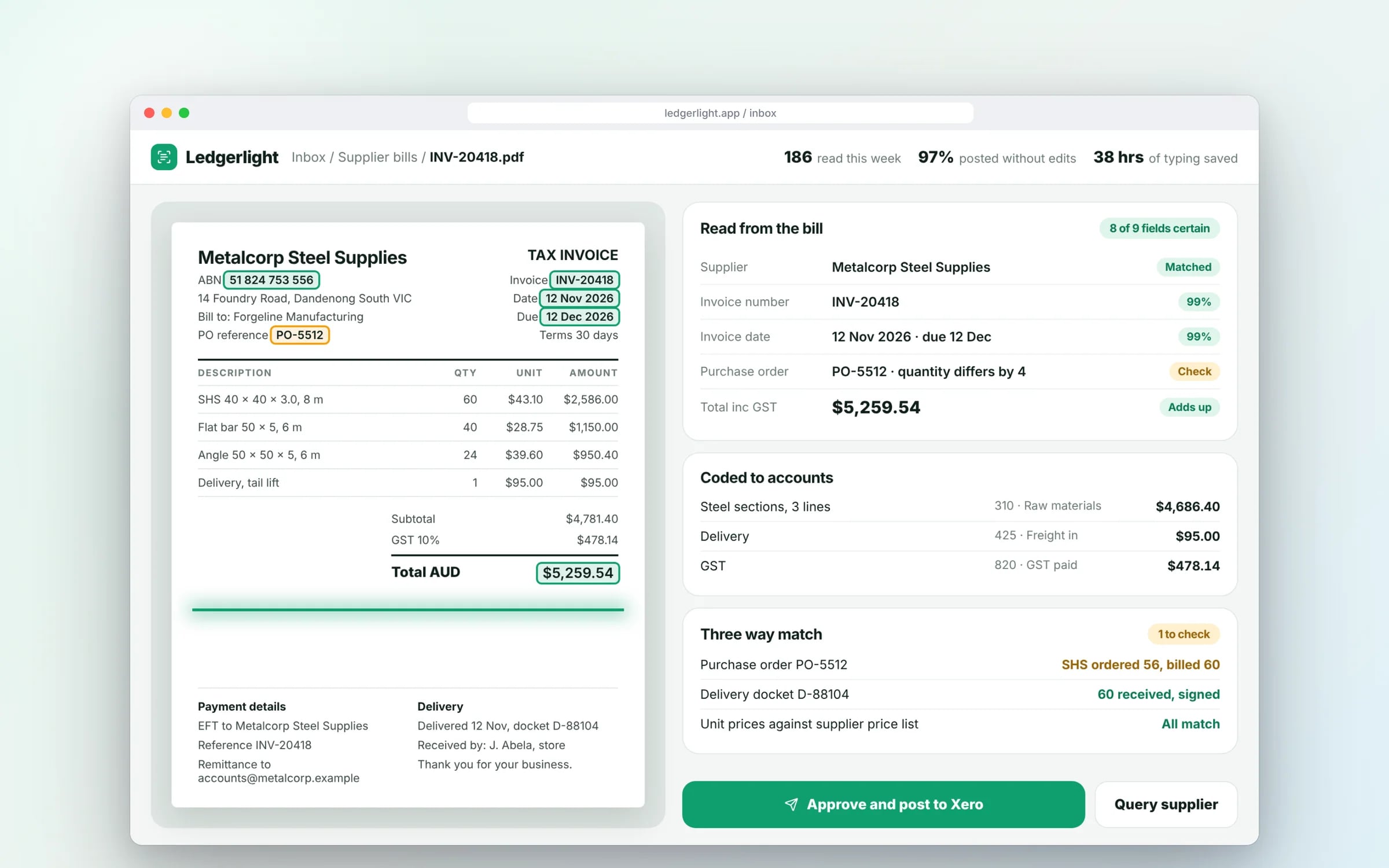
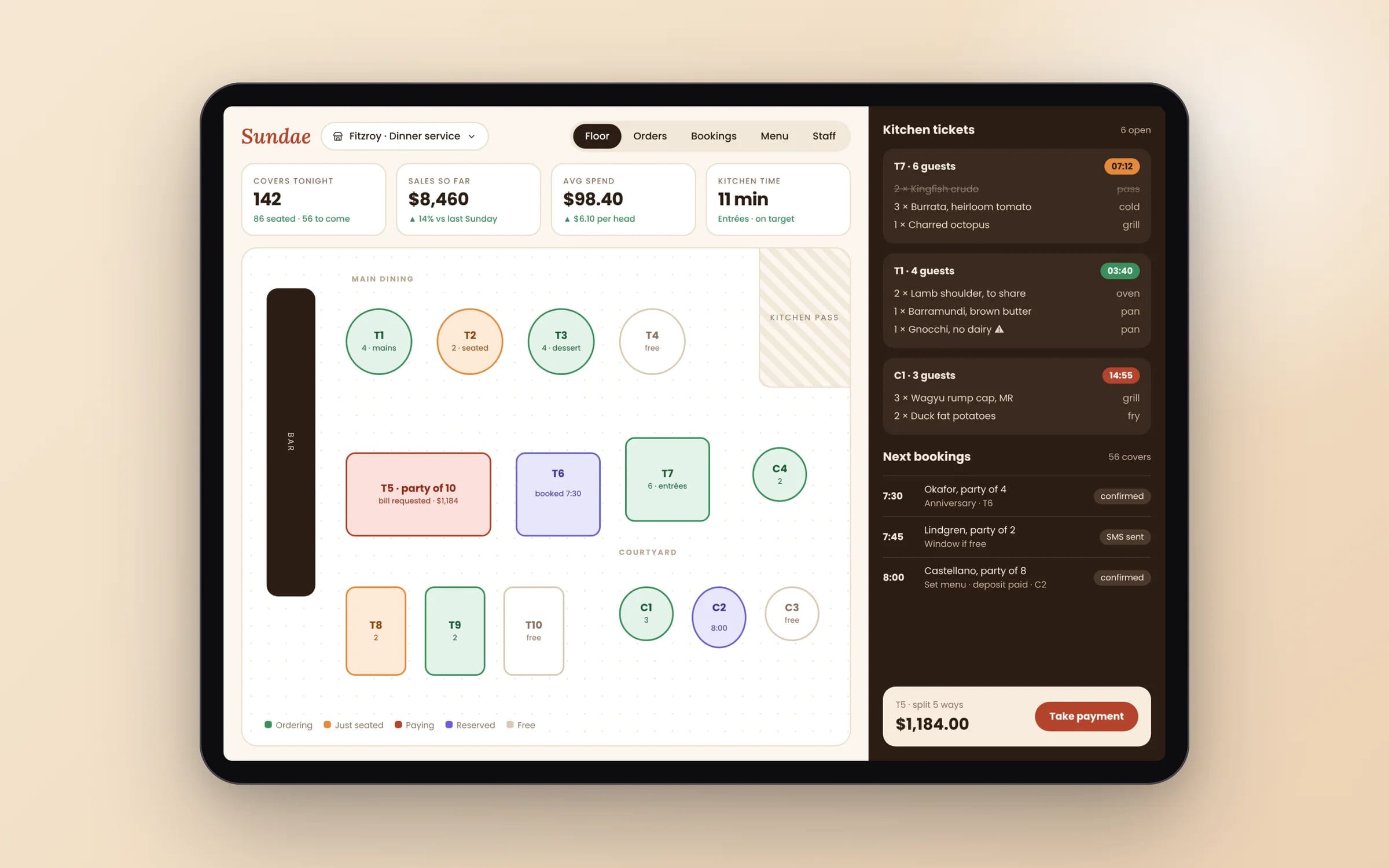
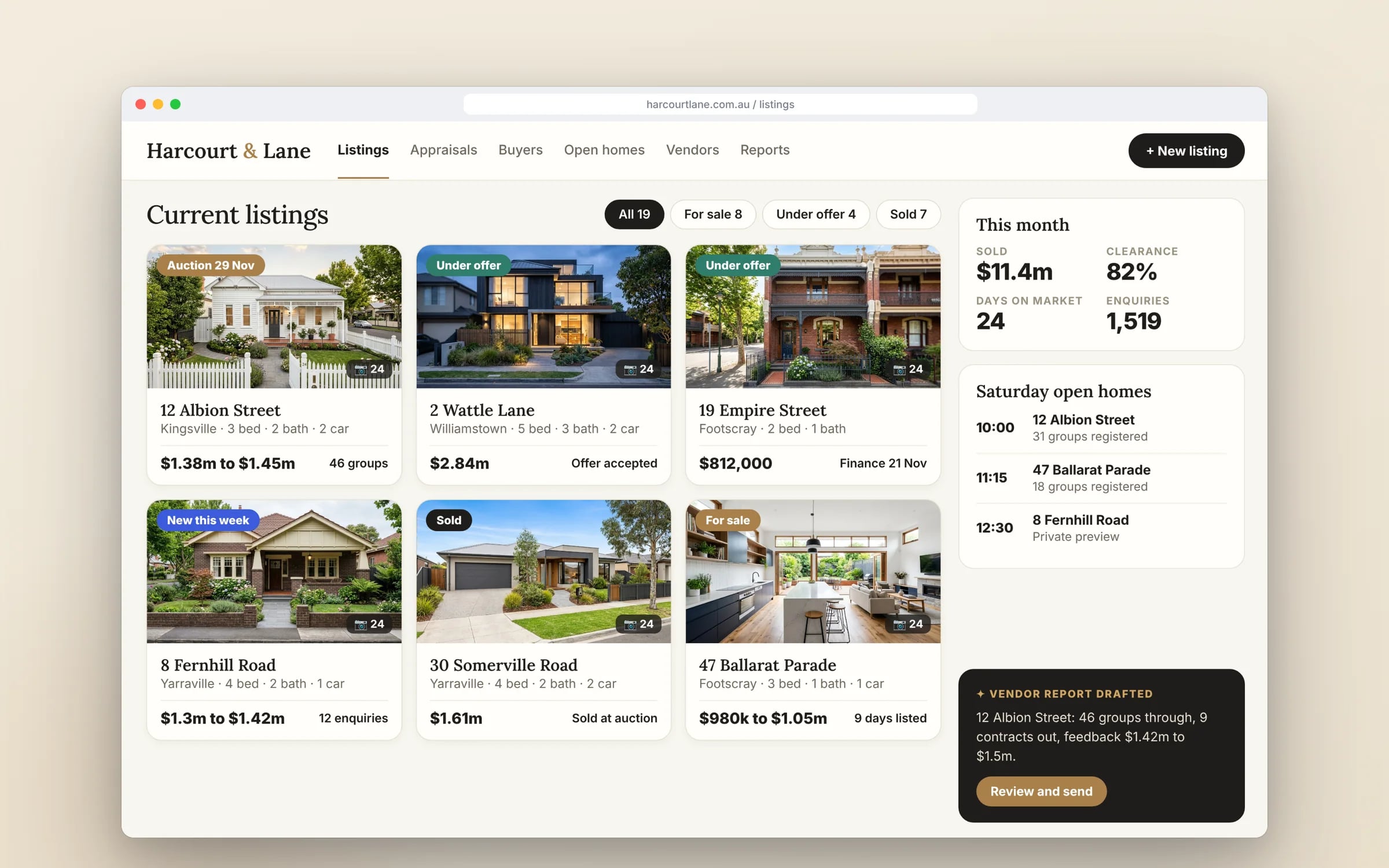
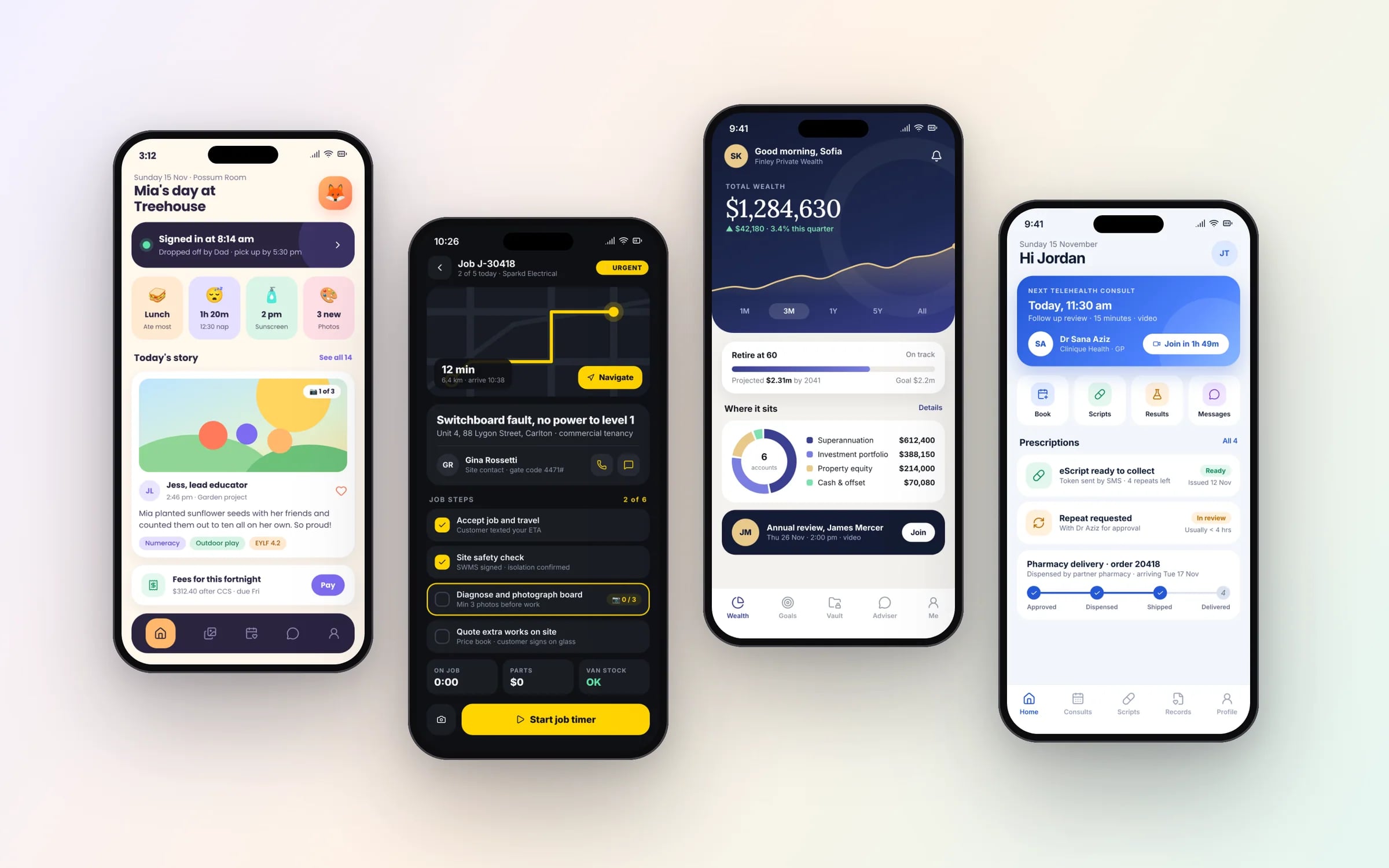
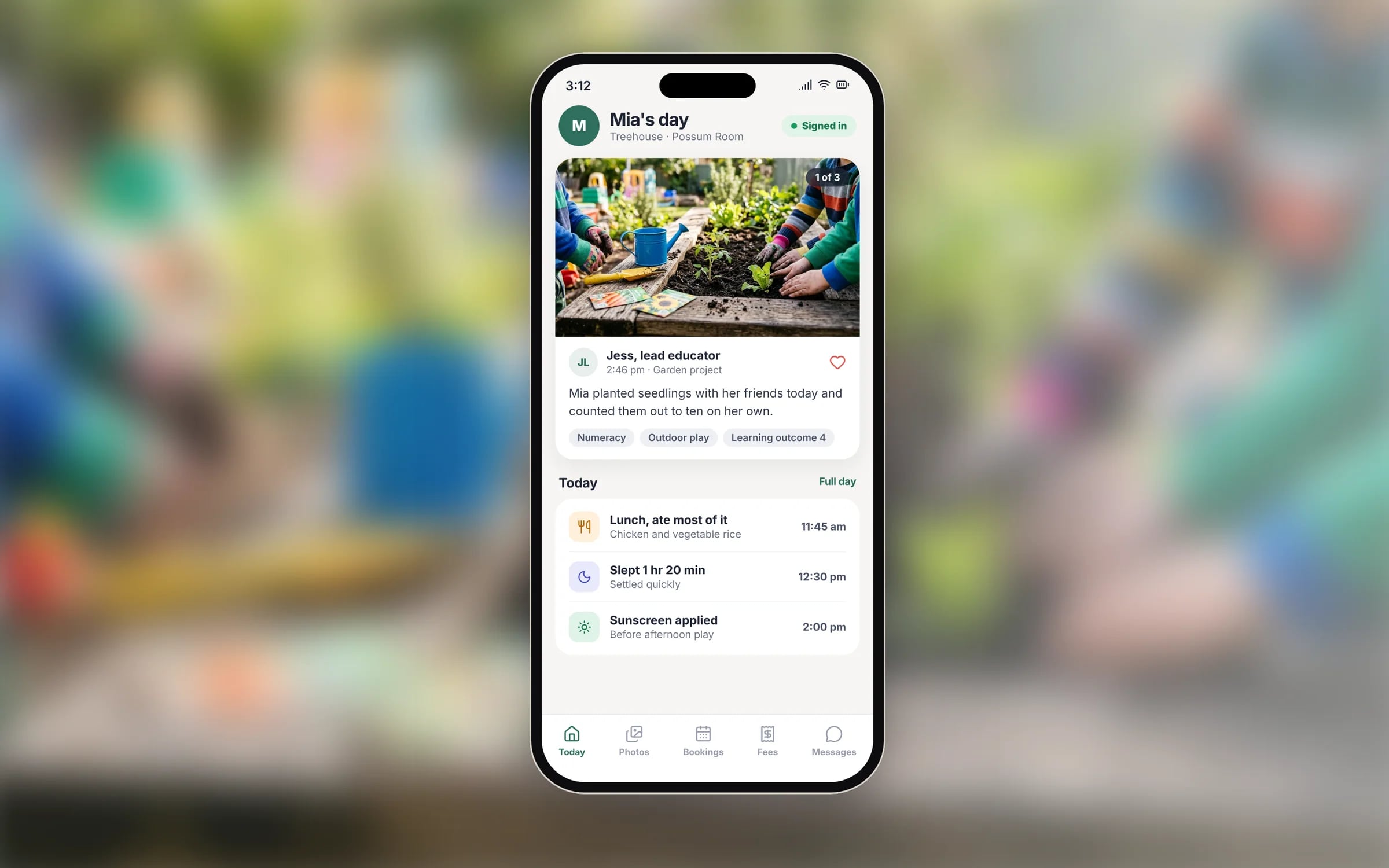
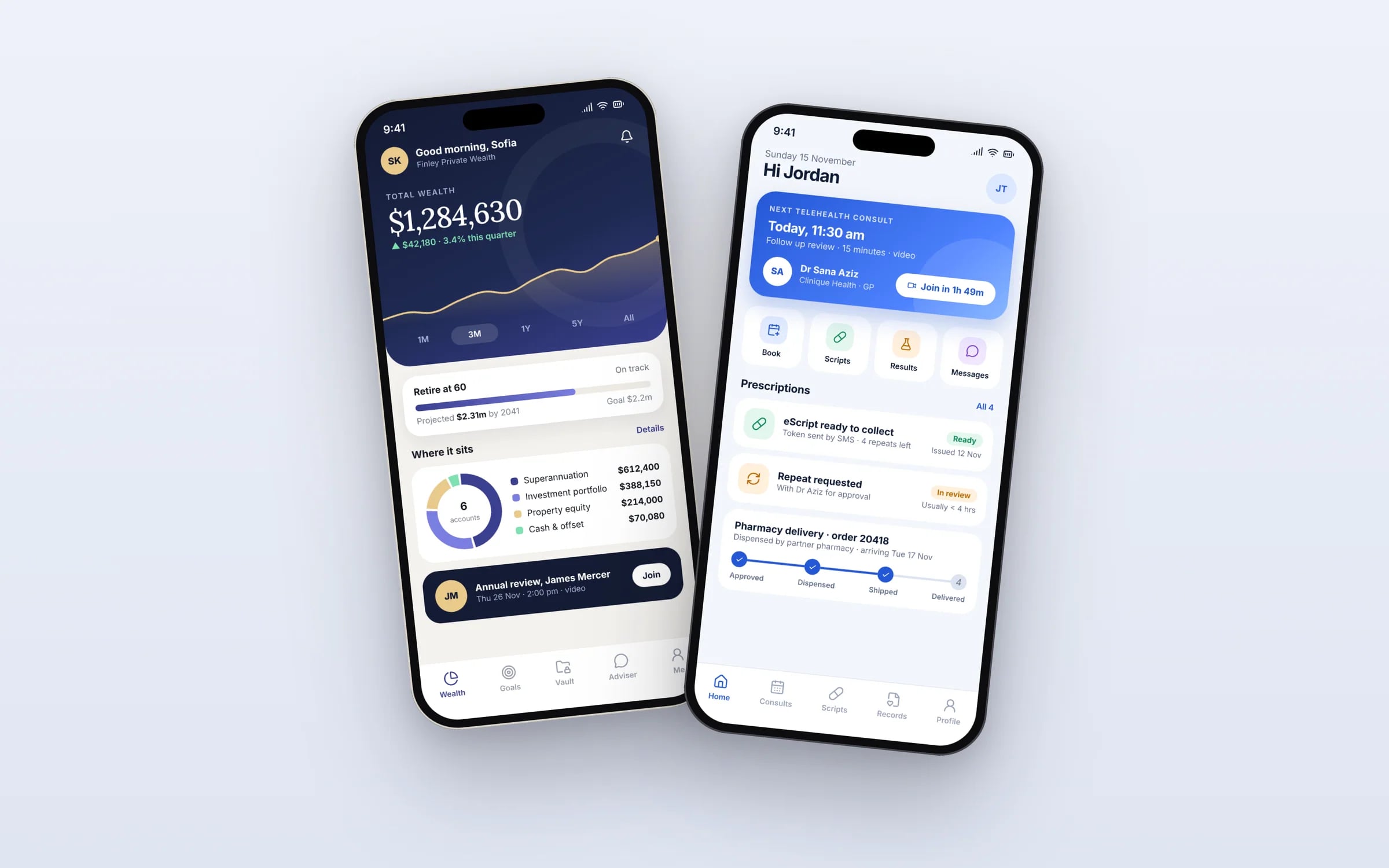
Example screens. The business names on them are invented.
★★★★★
“Great team to work with, really strive for success and provide excellent communication with any service provided.”
Five years of renting, against owning. The gap is the point.
You probably need this when
- 01We need to be on both the App Store and Google Play, but can't fund two separate app teams.
- 02Our iPhone and Android apps never have the same features at the same time.
- 03Every bug gets fixed twice, by two different developers.
- 04Staff use their own phones, so we can't control whether they're on iPhone or Android.
- 05We want a pilot on both stores quickly to test the idea with real users.
What you walk away with.
- 01A single codebase shipping to both iOS and Android
- 02Platform specific UI adjustments where they matter
- 03One engineering team maintaining both releases going forward
What is Cross Platform Apps?
Cross-platform app development is building one codebase that ships as real apps on both iOS and Android, usually with Flutter or React Native.
It suits businesses that need both stores but want one team, one release schedule and one set of fixes, typically for workflow apps covering bookings, job sheets, rosters, inspections and customer accounts.
Reviewed by the Hypex team, Port Melbourne
Questions owners ask.
Do cross-platform apps feel as good as native apps?
For most business apps users can't tell the difference, provided the team makes small platform adjustments such as iOS swipe-back navigation, Android's back gesture and each platform's date pickers. Cross-platform shows its seams in heavy graphics, complex camera processing, or features Apple and Google release before the framework catches up. Those parts can be written natively and plugged into the shared app, so you keep one codebase for the majority of screens.
What can't be shared between iOS and Android in a cross-platform app?
Almost all screens, business logic and server communication are shared; what stays platform-specific is the edge where the app meets each operating system. That includes push notification setup, store listings and code signing, permission wording, home screen widgets, watch apps and occasional native modules for hardware the framework doesn't cover. Each store's rules also differ, so release steps happen twice even though the code is written once. You still need to test on both platforms every release.
Is a cross-platform app cheaper than two native apps?
Usually yes, because you build and maintain one codebase with one team instead of two, and each feature reaches both stores in the same release. The saving shrinks when the app relies on many platform-specific features, since each one needs native work on both sides. The bigger difference shows over time: every future feature, bug fix and operating system update is handled once. Hypex sets a fixed price per stage in the system map, so you see the cost of each stage before committing to it.
What are the downsides of cross-platform apps?
The main downsides are slower access to brand-new Apple and Google features, reliance on third-party plugins for some hardware, and one more layer to keep updated. When Apple or Google release a new capability, a native app can use it straight away, while a framework may need a plugin first. Plugins that stop being maintained can hold up upgrades, and very graphics-heavy apps can hit performance limits. For workflow apps these rarely outweigh the benefit of maintaining one codebase.
Can we start on iOS and add Android later?
Yes, and with a cross-platform codebase adding the second platform is mostly testing, store setup and platform polish, since the screens and logic already exist. Starting native on iOS and adding Android later means writing a second app from scratch. If Android is a real possibility, starting cross-platform keeps that option cheap. You can also release on one store first for a pilot, then switch on the second once the workflow is proven with real users.
Can one app serve both our customers and our staff?
One app can serve both if role-based access shows each person only the screens and data for their role, though separate apps are often clearer. A shared cross-platform codebase makes either choice practical: a tyre fitter sees the day's jobs and a customer sees their booking, both from the same backend. Separate apps suit cases where store listings, branding or distribution differ, such as a staff app distributed privately and a customer app listed publicly. Both can still share most of their code.
What moves the cost and the timeline.
After a 30-minute call you get a system map with a fixed price for each stage, before any work starts. These are the things that shape it.
- Number of native modules for hardware or features the framework doesn't cover
- Offline sync and conflict handling across devices
- How much the design must differ between iOS and Android
- Integrations with existing systems and the backend they need
- Separate staff and customer apps versus one app with roles
Built for businesses like yours
Show us how you run it today.
Thirty minutes with the people who would build it. We'll map where the hours go and tell you honestly whether custom software is worth it for you.