ERP Software. Systems that unify operations, inventory and finance.
Custom ERP systems that reflect how your operation actually runs, replacing the disconnected spreadsheets and legacy software most growing businesses accumulate.

What it can look like. Screens from systems like this.
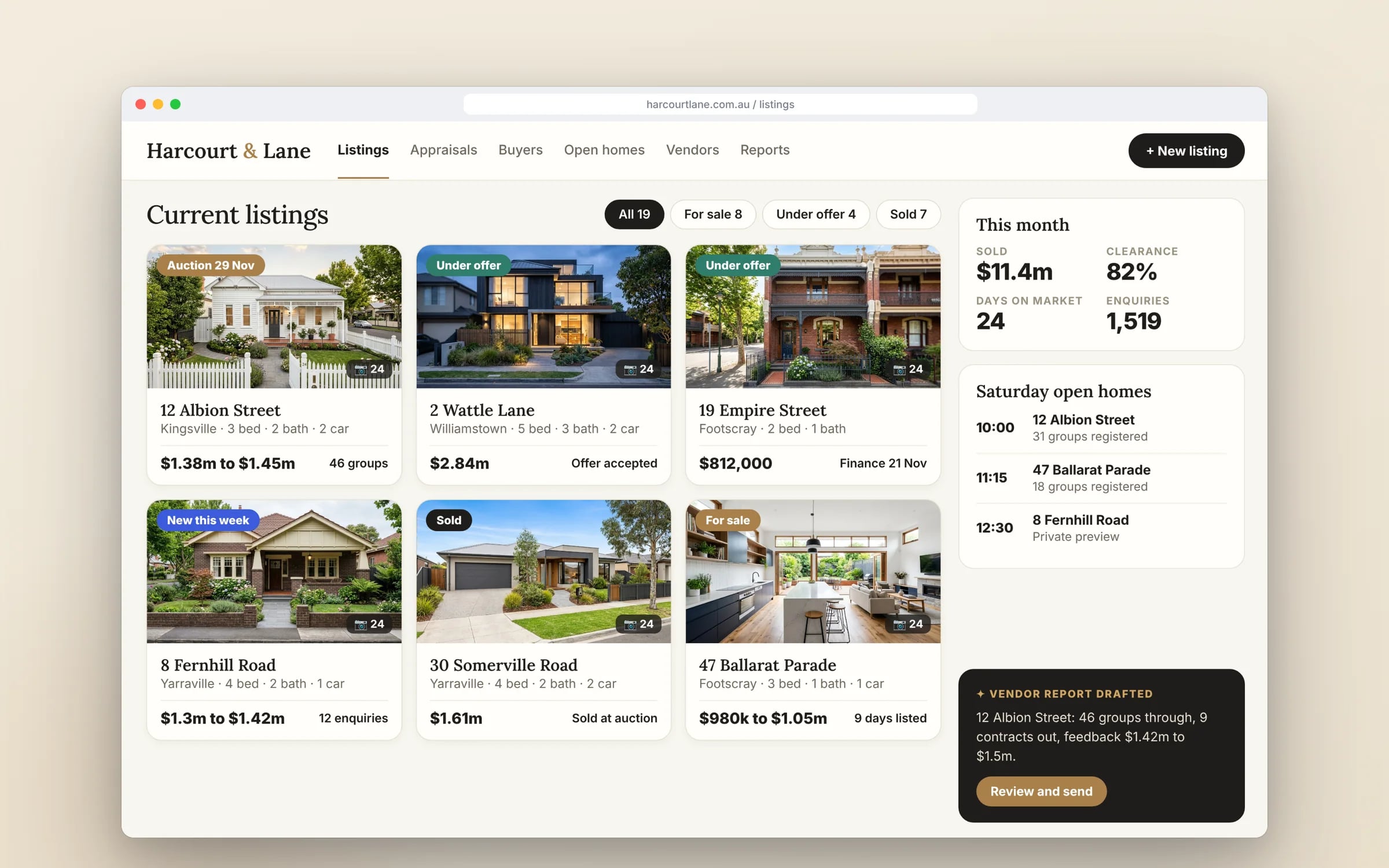
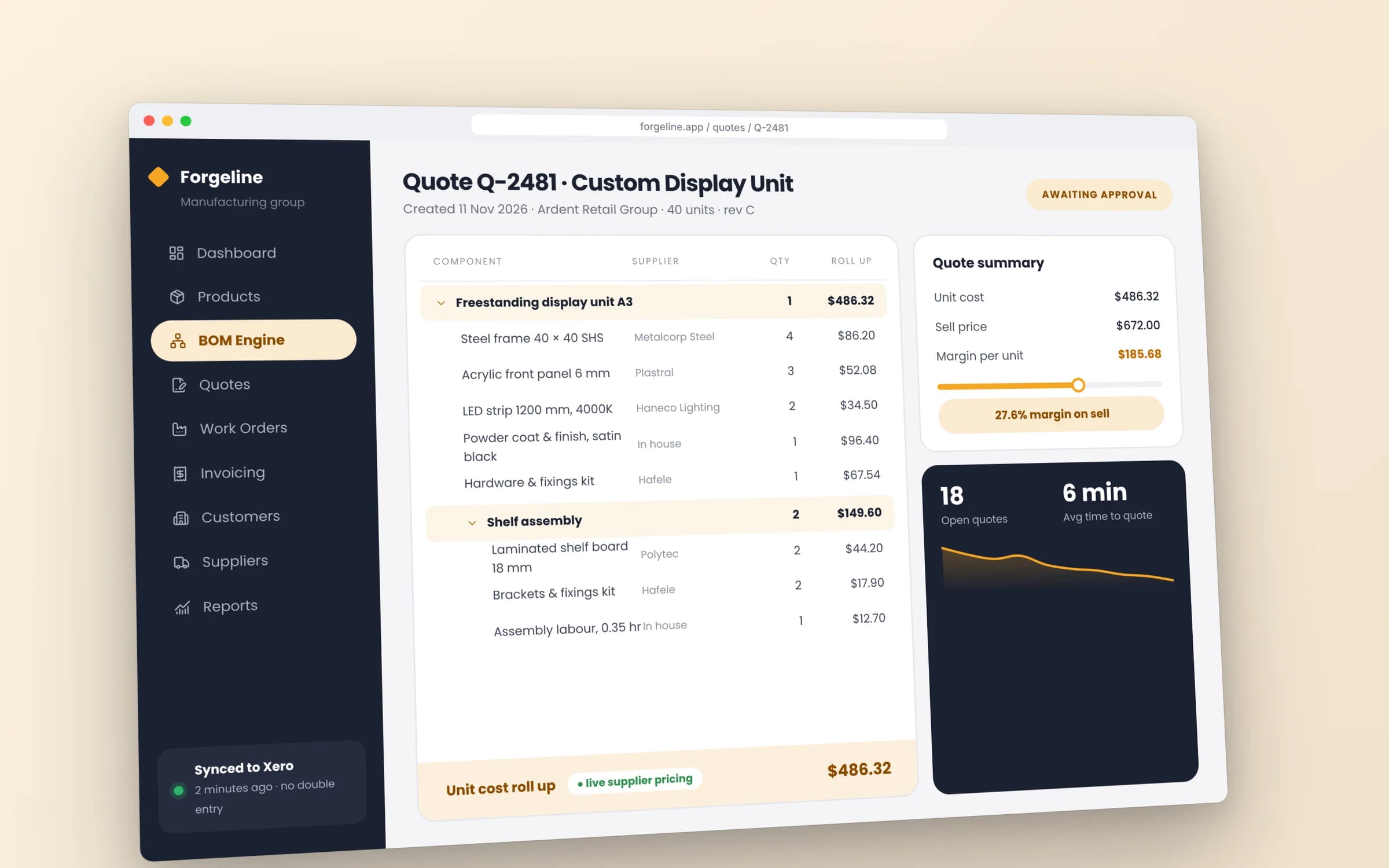
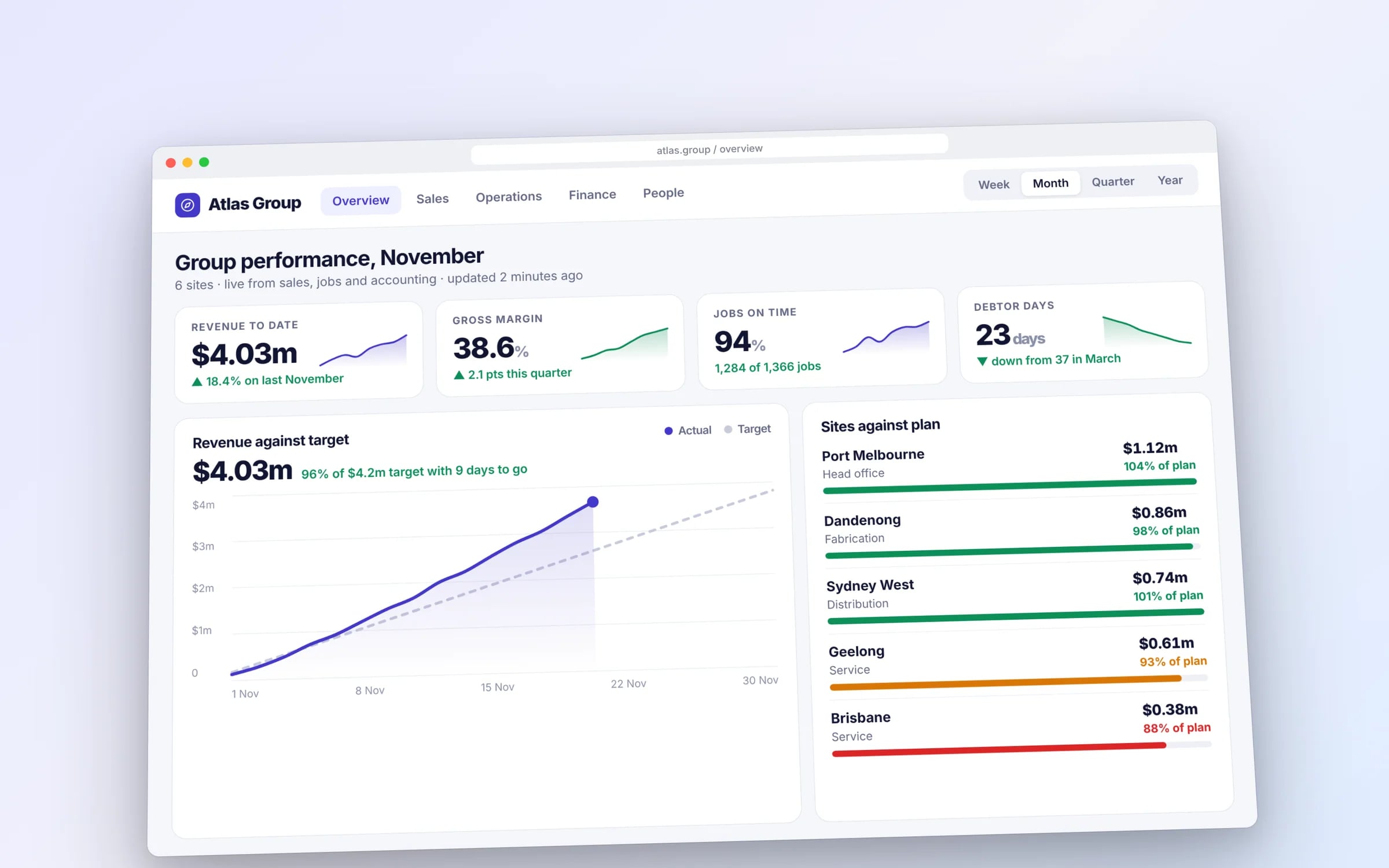
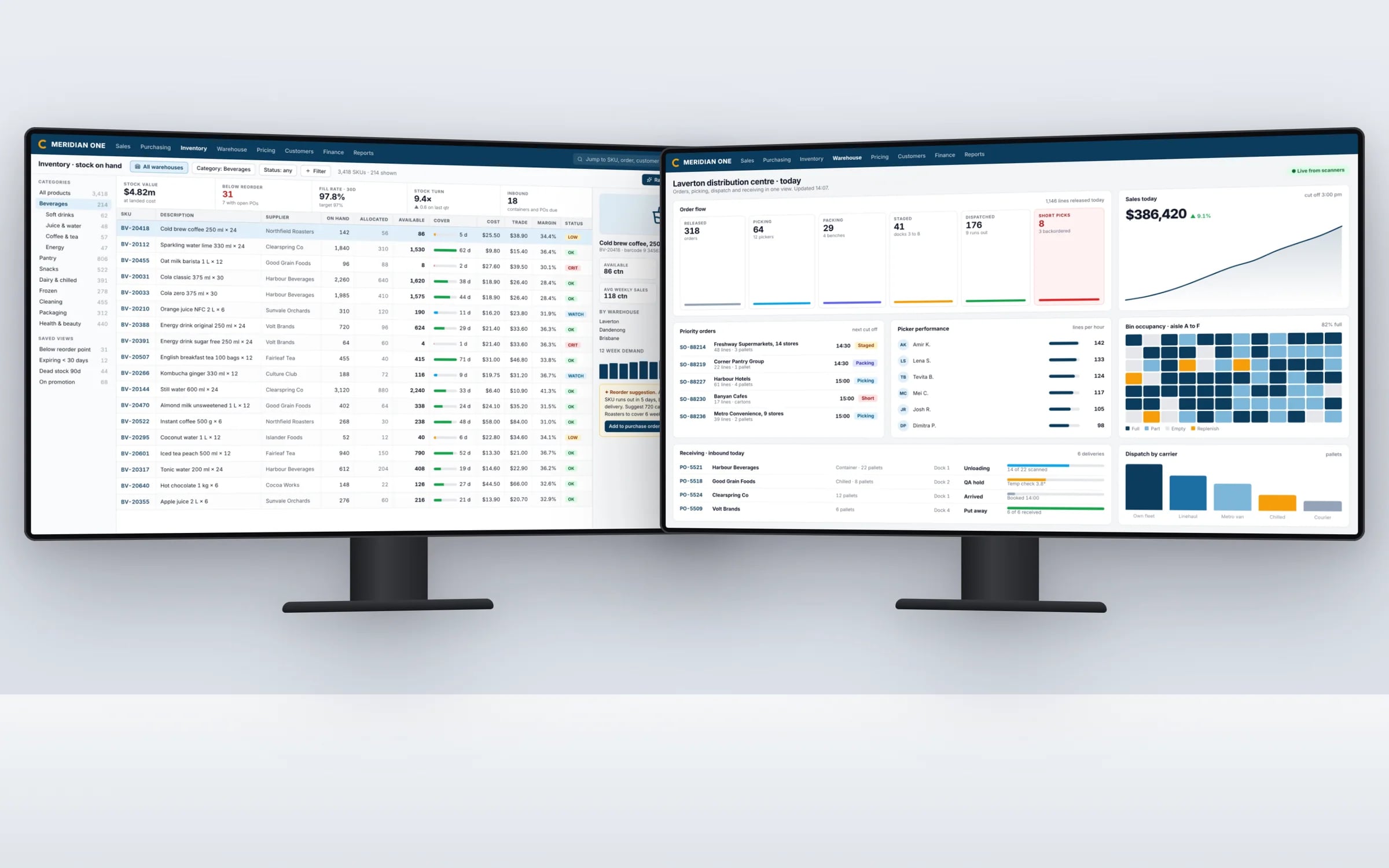
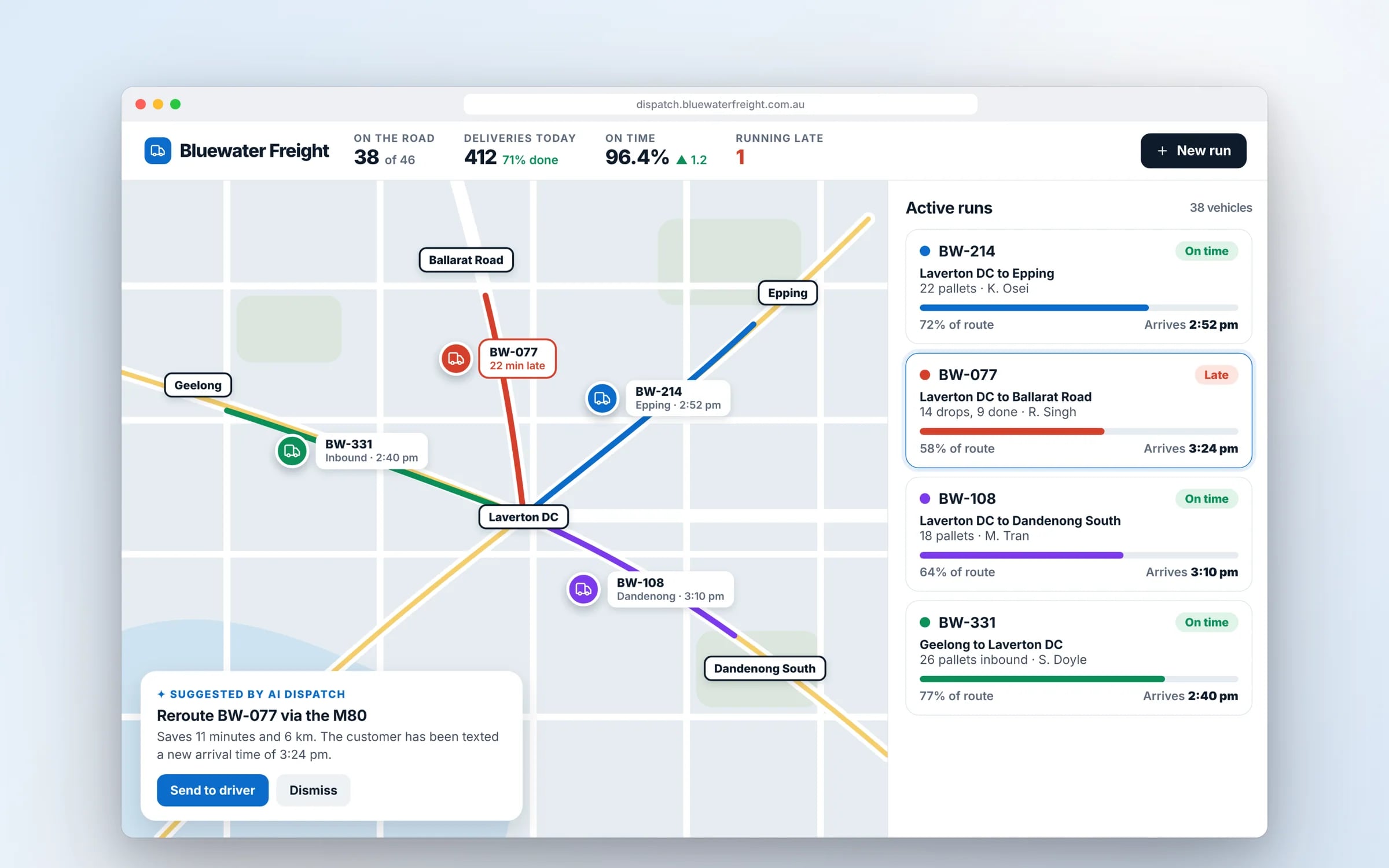
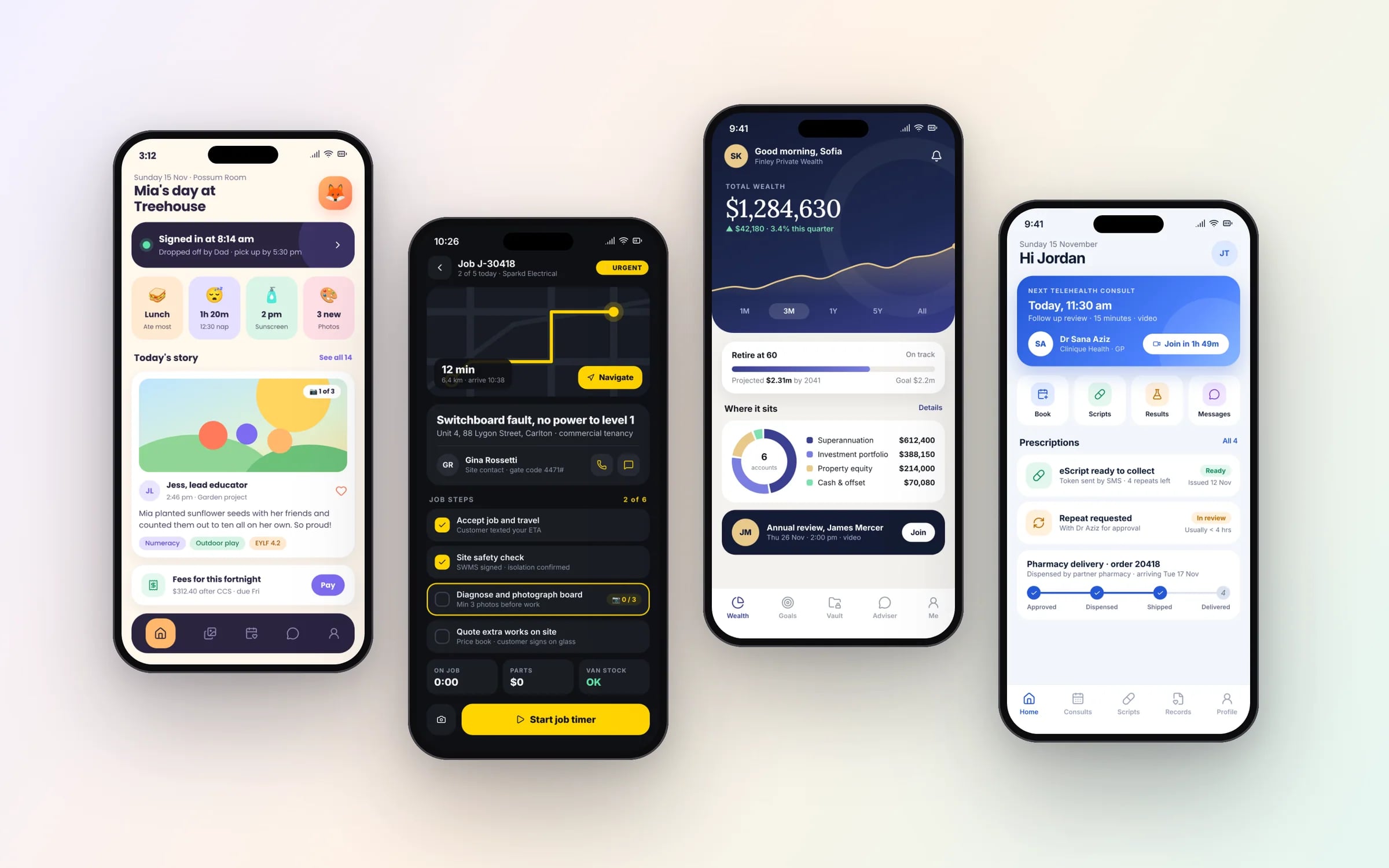
Example screens. The business names on them are invented.
You probably need this when
- 01Stock on hand in the system never matches what's on the shelf.
- 02Orders get typed into three places before they're invoiced.
- 03We looked at a big ERP and most of it doesn't fit how we work.
- 04Month end means days of reconciling spreadsheets against Xero.
- 05We're opening a second site and the current setup won't stretch.
Books, bank and business, matched. Overnight, line by line.
An ERP earns its keep when what you sold, what the ledger says and what the bank received agree without anyone ticking columns. Anything that doesn't is waiting for you in the morning.
How we'd build it.
- Step 1
Map the operation
The real workflow walked from order to invoice, including every workaround and side spreadsheet.
- Step 2
Pick the first module
The area costing the most hours goes first, often stock control or order entry.
- Step 3
Build and run in parallel
Used alongside the spreadsheets or old system on real orders until stock and totals match.
- Step 4
Migrate and connect
History moved with validation, the accounting integration switched on, and the old tool retired.
★★★★★
“One of the BEST companies our business has worked with.”
How we do it.
- 01Process mappingThe real operational workflow documented first, so the system fits the business instead of forcing a rewrite of how people work.
- 02Inventory and opsStock, orders and scheduling tracked in one place instead of across separate spreadsheets and tools.
- 03Financial integrationInvoicing and reporting connected directly to accounting, removing manual reconciliation.
- 04Data migrationExisting records brought across cleanly, with validation so nothing goes missing in the switch.
Five years of renting, against owning. The gap is the point.
What is ERP Software?
Custom ERP software is a single system built around how your business runs, holding stock, orders, jobs, purchasing and scheduling in one place and connected to your accounting.
It suits growing businesses in wholesale, manufacturing, trades and field services whose operations are spread across spreadsheets and disconnected tools, or that have outgrown an off the shelf ERP.
Reviewed by the Hypex team, Port Melbourne
Questions owners ask.
Is a custom ERP better than an off the shelf ERP like NetSuite?
A custom ERP is the better fit when your operation has steps an off the shelf ERP cannot model without heavy customisation, and an off the shelf ERP is better when your processes are close to standard and you want a broad feature set from day one. NetSuite and similar platforms cover financials, inventory and order management in depth, but you adapt your process to their structure or customise within it. A custom build covers only what you use, matches your process, and runs in a cloud account you own.
What does an ERP system actually do for a small business?
An ERP system puts the core records of a business in one place, so stock, orders, jobs, purchasing and invoicing all update each other. When a sales order is entered, stock is reserved, a pick or job is created, and the invoice flows to accounting without being typed again. For a small business, the practical gain is one accurate figure for stock on hand, money owed and work booked, instead of three spreadsheets that disagree with each other.
What drives the cost of a custom ERP?
The cost of a custom ERP is driven by how many operational areas it covers, how complex the rules are in each, and how much data must move across. Inventory with batches, serial numbers or several warehouses takes more work than single-site stock. Each integration, such as Xero, MYOB, couriers or payroll, adds hours. Messy spreadsheet data adds migration work. Hypex prices each stage at a fixed price in the system map, and builds the part costing your team the most hours first.
How do you migrate from spreadsheets to an ERP without losing data?
Migrate in stages with validation: map every column to a field, clean duplicates and inconsistent product codes, load a test copy, and reconcile totals against the spreadsheets before anything goes live. Then run the ERP alongside the spreadsheets on real work, such as a month of orders and stock movements, until stock levels and invoice totals match. Only then does the full history move across and the spreadsheets get archived. Nothing is deleted until the numbers agree.
Can a custom ERP connect to Xero or MYOB?
Yes, a custom ERP can connect to Xero or MYOB through their APIs, sending invoices, bills, payments and contacts across so nothing is rekeyed. The usual split is that the ERP runs operations, such as stock, orders, jobs and purchasing, while the accounting software stays the ledger your accountant works in. Account codes, tax rates and tracking categories are matched once during setup. Payment status can flow back, so the ERP shows which orders have been paid.
Can one ERP handle several sites or business entities?
Yes, a custom ERP can be built for several sites, warehouses or entities from the start, with stock tracked per location, transfers between sites, and reporting by site or across the group. Entities that bill separately can each post to their own accounting file. Role-based access keeps staff to the sites they work at while managers see everything. Designing for this early is much easier than retrofitting it after a second site opens.
Custom ERP vs NetSuite.
- Fit to your process
Custom ERPBuilt around how your team quotes, picks, schedules and invoices today
NetSuiteYour process adapts to its modules, with customisation through its scripting and workflow tools
- Feature breadth
Custom ERPCovers only the areas you need, added in stages
NetSuiteBroad modules for financials, inventory, orders and CRM available from the start
- Accounting
Custom ERPConnects to Xero or MYOB, which stays your ledger
NetSuiteIncludes its own general ledger and financial reporting
- Updates
Custom ERPChanges made when you choose, reviewed and logged
NetSuitePlatform updates released on the vendor's schedule, with customisations tested against each one
- Hosting and data
Custom ERPRuns in a cloud account your business owns
NetSuiteRuns in the vendor's cloud, with data exported through its tools
- Rollout
Custom ERPRun alongside existing tools on real work until the numbers match
NetSuiteUsually configured by an implementation partner, then staff are trained to its workflows
What moves the cost and the timeline.
After a 30-minute call you get a system map with a fixed price for each stage, before any work starts. These are the things that shape it.
- Number of operational areas covered: stock, orders, purchasing, jobs, scheduling
- Inventory complexity, such as batches, serial numbers and multiple warehouses
- Integrations with accounting, couriers, payroll and suppliers
- Quality and volume of the data to migrate
- Number of sites, entities and user roles
Built for businesses like yours
Show us how you run it today.
Thirty minutes with the people who would build it. We'll map where the hours go and tell you honestly whether custom software is worth it for you.